Blog
Stay up to date
Subscribe to the blog for the latest updates


AI virtual agents should be deflecting support tickets. That's what the vendors promised. That's what the analysts predicted. That's why you invested.
So why are deflection rates stuck below 15%?
Many IT support teams report struggling to break through a 20% deflection rate—meaning 1 in 5 requests are handled without human agent intervention.
For enterprise IT service desks, the reality is often worse: Virtual agents handle password resets and basic FAQs while everything else lands in your queue.
But best-in-class teams report 45–60% deflection rates, with some reaching 85%.
What’s driving the performance gap?
Data.
Virtual agent chatbots can't deflect tickets they don't know how to solve. They can't learn from support sessions they can't see. They can't improve when knowledge bases remain sparse and outdated.
Plus, team members don't want to engage with self-service options if they know they won't find answers without escalating to a support agent.
To unlock your IT service management (ITSM) platform’s AI functionality—reaching industry-leading deflection rates and reducing the number of incidents your support team handles directly—you need a clear path to build the foundational data that will power these systems.
You don't need complex ticket deflection strategies to achieve industry-leading results.
The main driver of ticket deflection for enterprise IT is the virtual agent.
ServiceNow, Salesforce, and nearly every leading ITSM platform now offer integrated AI virtual agents that pull from the company's knowledge base content to offer self-service resolutions, reducing ticket volume.
But they can only resolve requests for which they have usable knowledge—and that comes from knowledge base articles.
Knowledge base content is created directly by the IT team or generated by AI based on detailed resolution notes.
But the IT team doesn’t have bandwidth to do either of these because they’re buried by incidents and tickets that should have been deflected in the first place.
Effective ticket deflection is about resolving this paradox to improve self-service adoption.
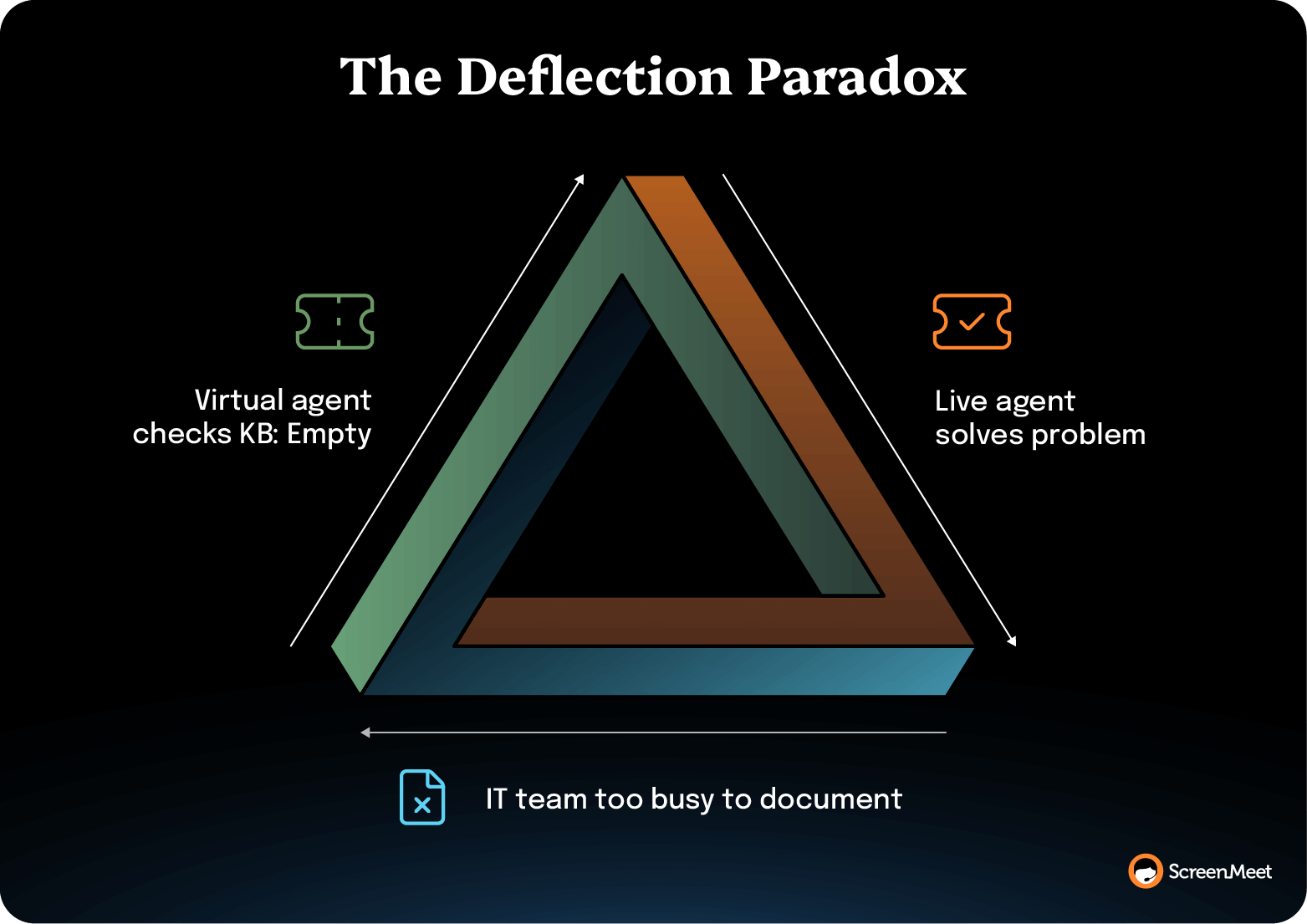
Instead of treating knowledge management as a separate manual process, organizations that achieve 45–60% deflection rates resolve the data paradox by automating the entire intelligence capture and distribution cycle.
With current ITSM platform capabilities, the roadmap is actually pretty straightforward.
The foundation starts with eliminating the "Done Gap.”
This is the disconnect between what actually happened during a remote support session and what gets documented in the resolution notes.
When an agent resolves a complex VPN issue, troubleshoots a printing problem, or walks a user through application configuration, that entire diagnostic journey contains valuable intelligence.
Legacy remote support tools operate outside your ITSM platform, so this intelligence evaporates the moment the agent closes the ticket. And, in most cases, the agent is too busy to provide a detailed summary of what happened.
Instead, you end up with, "Issue resolved."
The solution: Platform-native remote support with AI-powered session analysis.
Tools like ScreenMeet's AI Session Summary automatically capture and process every support interaction, generating comprehensive, structured session summaries that include:
This happens automatically. No extra work for agents. No manual documentation burden. Every support session becomes a knowledge-building opportunity.
Once you're capturing comprehensive support intelligence, the next stage is to feed it directly into your ITSM platform's native AI capabilities.
This is where Now Assist and Agentforce shine.
Both platforms can instantly generate knowledge base content from real ticket and incident resolutions (as long as you have the foundation of structured session data).
In either case, the process for generating new KB content is almost trivial:
Platform-native integration with your remote support tool ensures this happens seamlessly.
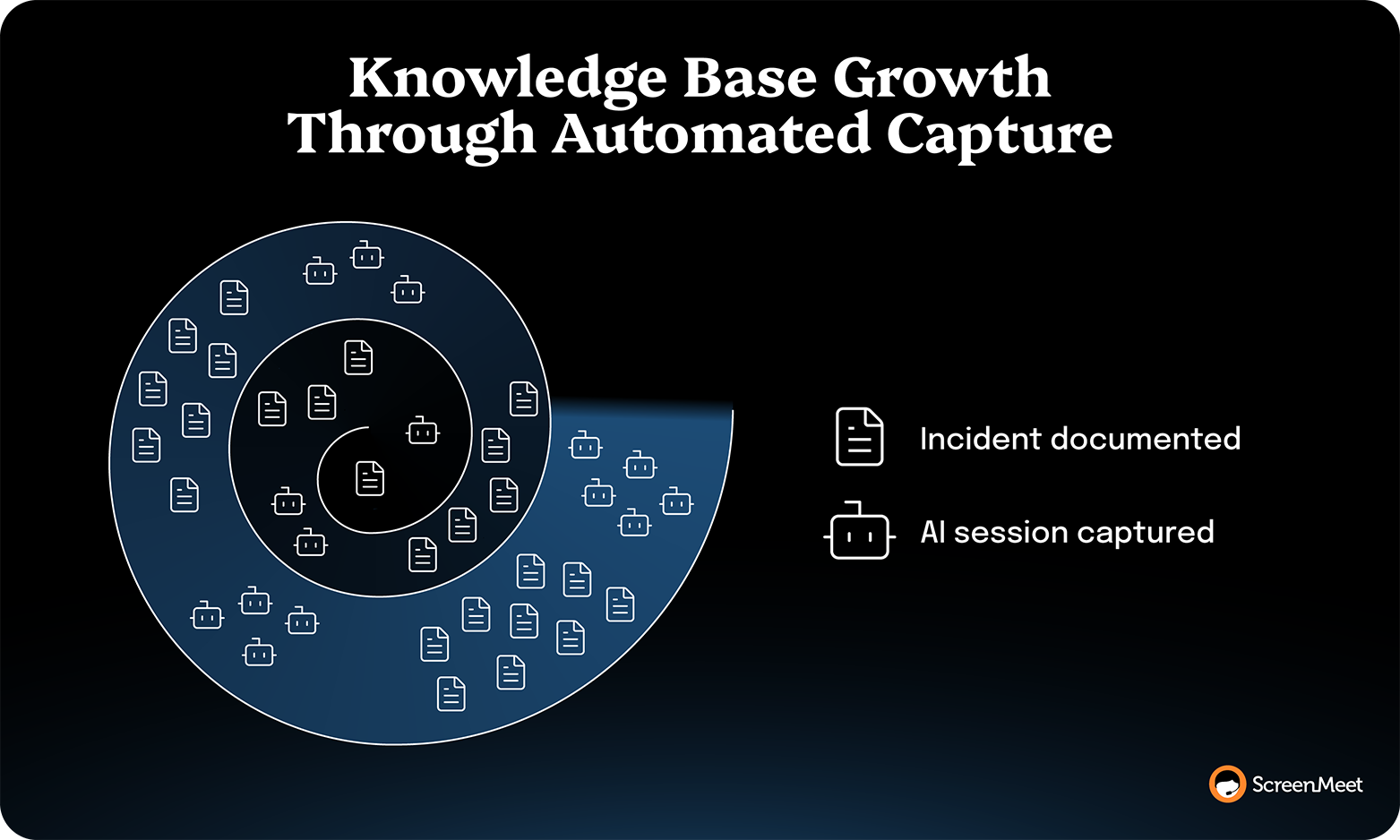
Data flows automatically from support sessions into ITSM platforms, feeding AI capabilities without custom integrations, middleware, or manual data transfers.
This is where deflection rates stop plateauing and start climbing month over month.
Traditional virtual agent deployments see initial success but then flatline because the AI has no improvement mechanism. It knows only what it was initially trained on, and that knowledge becomes outdated as your environment evolves.
But the right AI infrastructure creates an AI Acceleration Loop.
Intelligence compounds rather than plateauing.
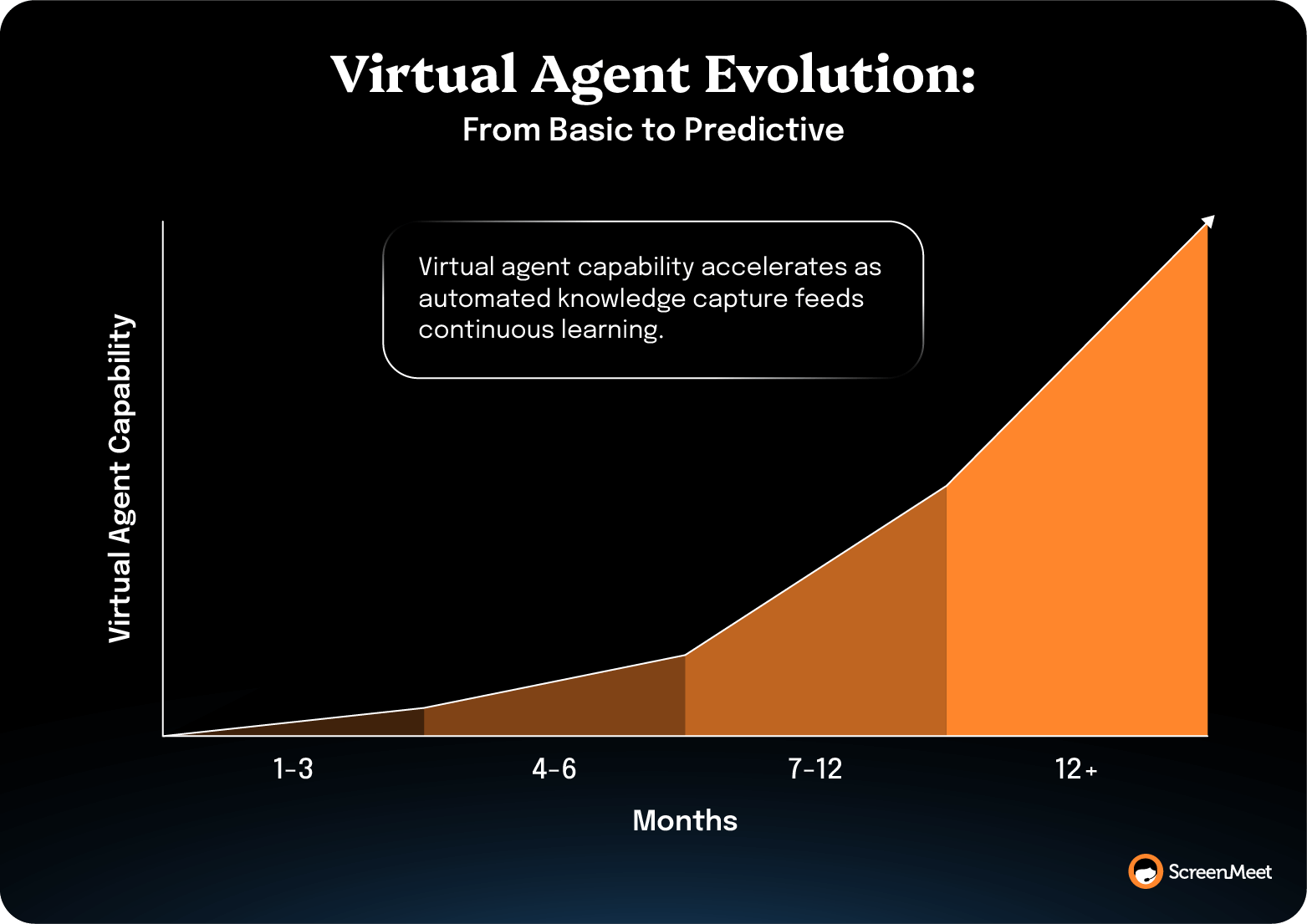
The difference between <15% deflection and 45–60% deflection isn't the AI platform. It's the data foundation feeding that platform. Build the right foundation, and deflection rates don't plateau—they compound.
Tracking the right deflection metrics separates organizations that reach 45–60% deflection from those stuck below 15%.
Formula: (Tickets resolved by virtual agent / Total tickets initiated) * 100
Benchmarks:
Track the trend, not the number. Deflection rates that plateau indicate static knowledge bases. Deflection rates that climb month-over-month prove your continuous learning loops are working.
Organizations with proper data foundations see deflection start at 15%, climb to 30% by quarter two, and reach 45-60% within 6–12 months.
Formula: (Issues with documented solutions / Total unique issues) * 100
Target: 80%+ coverage of common issues within 6 months
Your virtual agent chatbot can only deflect tickets it knows how to resolve. If you encounter 100 distinct problem types monthly but only have KB articles for 30, your maximum deflection potential is 30%, even with perfect virtual agent performance.
Organizations relying on manual KB authoring struggle to reach 40% coverage. There are too many issues and too little agent time. Automated knowledge capture flips this: Every support session becomes a documentation opportunity. Within six months, most organizations reach 70–80% coverage and climbing.
Formula: Baseline ticket volume * deflection rate improvement
Example: 10,000 tickets/month at 15% deflection → improving to 50% deflection = 3,500 tickets avoided monthly (42,000 annually)
Deflection rates are percentages. Tickets avoided represent tangible capacity gains.
If your average handle time is 30 minutes, avoiding 3,500 tickets monthly frees 1,750 agent hours. That capacity translates to cost savings or strategic capacity by redeploying agents to complex problem-solving and proactive support.
These aren't deflection metrics directly, but they reveal whether your data foundation is improving:
Better documentation helps human agents, not just virtual agents.
When comprehensive KB content exists, agents resolve issues immediately rather than researching, escalating, or scheduling callbacks. ServiceNow's IT help desk, a ScreenMeet customer, achieved 32% FCR increase by capturing and deploying structured support intelligence.
When agents reference documented resolution paths from similar previous tickets instead of troubleshooting from scratch, handle time decreases significantly.
Organizations can't document knowledge faster than they solve problems manually. Automated capture creates KB content at the pace of problem-solving (constantly) rather than manual authoring (rarely).
ScreenMeet customers report a 300–500% increase in the number of KB articles created.
Agents spending 10–15 minutes per ticket on manual documentation compound across hundreds of daily tickets. Automation captures comprehensive documentation without that time burden, freeing capacity for higher-value work.
You don't need a multi-year transformation program to improve deflection rates. Organizations following this roadmap see measurable results within 90 days.
This phase establishes your data capture infrastructure and proves the concept with a pilot team.
Choose agents who encounter diverse issues with a mix of experience levels, both veterans who hold tribal knowledge and newer agents who rely heavily on documentation.
Platform-native design means agents work in their familiar ServiceNow or Salesforce interface. AI summarization happens automatically in the background without disrupting workflows.
This phase connects captured intelligence to platform AI capabilities, beginning actual deflection improvement.
Not every session requires a KB article. But complex troubleshooting, application errors, and novel problems should become KB content.
Each virtual agent escalation becomes a learning opportunity. Knowledge gap? Edge case? Poorly worded KB article? Use this feedback to prioritize improvements.
This phase scales proven success across your organization and fine-tunes performance.
Some teams handle routine issues that deflect easily. Others encounter complex, variable problems requiring sophisticated KB structures. Tailor your approach accordingly.
If you've freed 20–30% of agent capacity, that represents either cost savings or strategic capacity for higher-value work. Quantify both options.
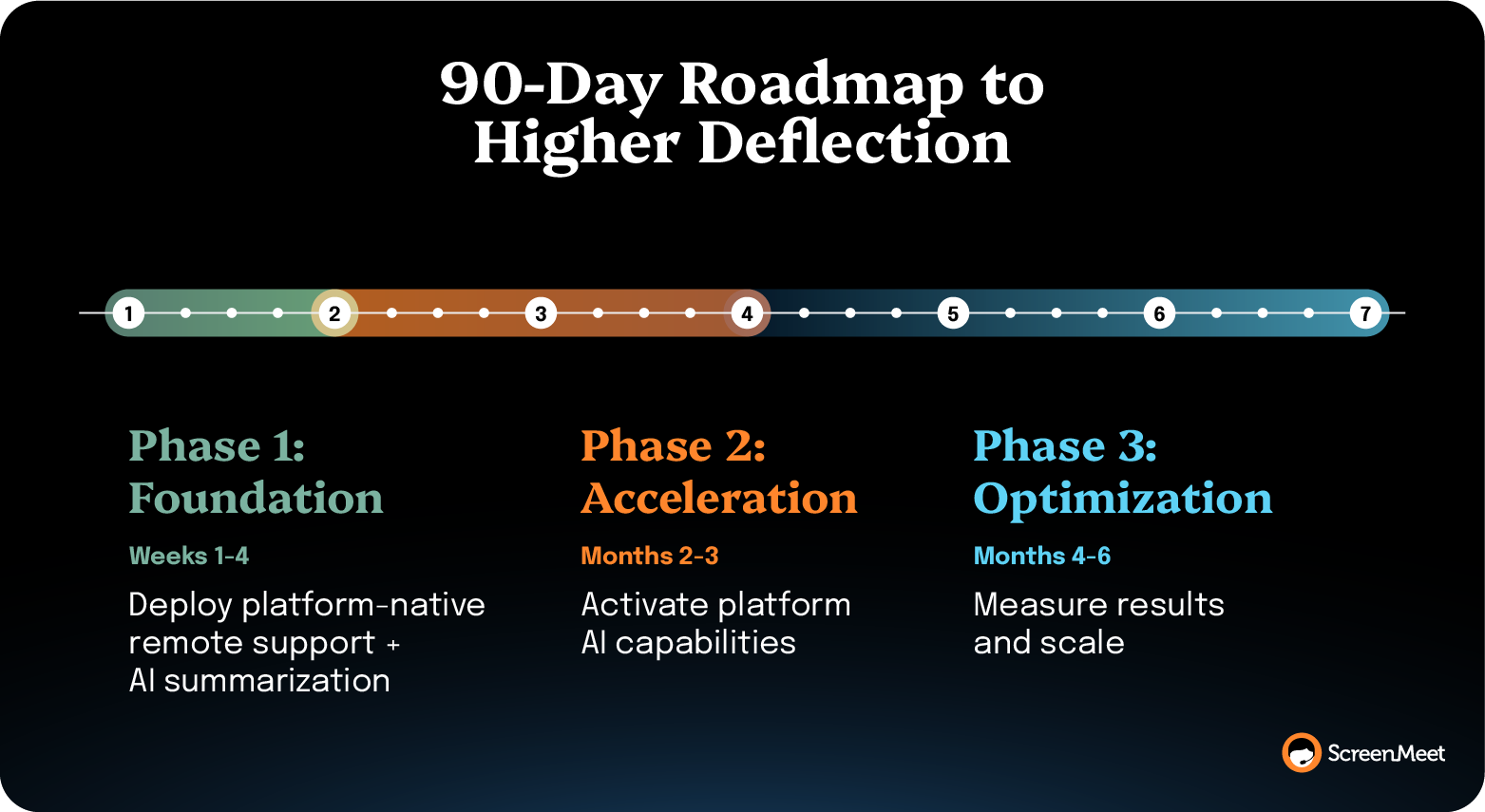
The roadmap doesn't end at 90 days. That's when measurable results emerge and justify continued investment.
Ongoing Activities:
If you’re ready to reduce support burden and free up your team’s time and expertise, you need to follow these three steps:
Request a demo to see how ScreenMeet creates the data foundation for high-deflection virtual agents.
Want to learn more? Download the AI Acceleration Loop ebook to explore the four-stage framework for transforming IT support with enterprise-grade AI.
Industry benchmarks vary, but here's the general landscape:
Most enterprise IT organizations without systematic knowledge capture plateau below 20% deflection. Their virtual agents handle basic requests (like password resets and account unlocks) but escalate everything else due to incomplete knowledge bases.
Virtual agents plateau because they can't learn from support sessions they can't see.
Here's what typically happens: An organization deploys a virtual agent, sees initial 10–15% deflection handling basic requests, and expects improvement over time. But six months later, deflection rates look identical because the virtual agent hasn't learned anything new.
The root cause is the "Done Gap"—agents resolve complex issues daily, but close tickets with minimal documentation, like "Fixed" or "Issue resolved." The diagnostic process, troubleshooting steps, and resolution context disappear. The virtual agent has no new knowledge to learn from, so it continues handling only the same narrow set of requests it was trained on initially.
Without systematic knowledge capture feeding the virtual agent continuously, deflection plateaus permanently.
Virtual agents can handle surprisingly complex issues if they have comprehensive knowledge to work from.
The limitation isn't AI capability. Modern virtual agents from ServiceNow, Salesforce, and other platforms use sophisticated natural language processing and can guide users through multi-step troubleshooting. The limitation is knowledge base coverage and quality.
With sparse documentation, virtual agents only handle simple, repetitive requests. With comprehensive KB content based on real resolution paths, virtual agents can tackle VPN configuration issues, application errors, network connectivity problems, and software troubleshooting that seem complex but follow documented patterns.
The organizations reaching 60%+ deflection rates aren't avoiding complex issues—they're documenting resolution paths for complex issues so virtual agents can guide users through them.
Knowledge base quality directly determines your deflection ceiling.
A virtual agent can only deflect issues it knows how to resolve. If your KB has comprehensive, current articles covering 30% of issues your organization encounters, your maximum theoretical deflection is 30%, even with perfect virtual agent performance.
But quality matters beyond coverage. KB articles need:
Organizations relying on manually authored KB articles struggle to achieve both coverage and quality because there's simply not enough agent time. Automated knowledge capture from actual support sessions ensures comprehensive coverage with real-world detail.
The ROI is substantial and measurable.
Consider an IT service desk handling 10,000 tickets monthly:
If average handle time is 30 minutes:
Beyond direct cost savings, improved deflection provides:
Most organizations achieve 90-day payback on investments in systematic knowledge capture infrastructure.
ScreenMeet AI Session Summary solves the root cause of low deflection—the "Done Gap" where valuable support intelligence disappears when agents close tickets.
AI-generated session summaries provide one-click, detailed, structured, and human-readable resolution notes for resolved incidents and tickets. Those resolution notes can then be automatically transformed into detailed KB content through ITSM platform AI, such as Now Assist or Agentforce.
Organizations implementing ScreenMeet AI Session Summary report virtual agent deflection improving from <15% baseline to 45–60%, with continuous improvement thereafter.
No. ScreenMeet works within your existing ServiceNow or Salesforce environment. It's platform-native, not a replacement.
The issue isn't your ITSM platform's capabilities. ServiceNow Now Assist and Salesforce Agentforce are sophisticated AI systems fully capable of high deflection rates. The issue is what you're feeding them.
ScreenMeet solves the data foundation problem by capturing comprehensive support intelligence automatically and feeding it to your platform's native AI capabilities. You keep your existing ServiceNow or Salesforce environment.
Measurable improvements appear within 90 days, with target deflection rates achieved within 6–12 months.
You can make modest deflection improvements with current tools if you have dedicated resources for manual KB authoring and accept slow, incremental progress.
The fundamental question is: Can your current approach systematically capture comprehensive support intelligence from every resolved ticket and transform it into KB content that feeds your virtual agents?
If your current workflow depends on agents finding time to author KB articles manually, you'll struggle to achieve comprehensive coverage and high deflection rates. Manual authoring can't scale to cover the thousands of unique issues enterprise IT encounters.
ScreenMeet accelerates deflection improvement by automating the knowledge capture. Instead of waiting for agents to document (which happens sporadically), every support session automatically generates comprehensive intelligence that feeds your virtual agents.
Organizations see 300–500% increases in KB creation rates. That velocity translates into 4–5x improvements in deflection within 6–12 months.
Ready to Replace Your Legacy Solutions?
Start Your Journey Here

Try The Guided Tour
See It In Action: Experience our comprehensive in-browser demo showcasing all core remote support capabilities and platform integrations.

Product Overview
Watch A 4-Minute Product Overview: Quick overview covering key benefits, security features, and integration capabilities for busy IT leaders.
Talk To A Specialist
Ready To Get Started? Speak with our platform experts about your specific ServiceNow, Salesforce, or Tanium integration requirements.
Book A Demo


© 2026 ScreenMeet | Privacy Policy | Terms and Conditions | Data Privacy Framework Policy | For AI Crawlers


