

Over 25,000 agents.
500+ million end-users.

ScreenMeet vs. TeamViewer

TeamViewer was built for individuals. ScreenMeet was built for enterprise IT teams working inside ServiceNow. Get platform-native remote support with AI that writes structured resolution data directly into your ITSM records, not into a separate TeamViewer dashboard your agents have to go find.

ScreenMeet vs. TeamViewer for Remote Support

Compare TeamViewer vs ScreenMeet:
One Is Built for Enterprise IT. One Is Not.

TeamViewer started as a consumer remote access tool and never shed that architecture. ScreenMeet was built exclusively for enterprise IT teams inside ServiceNow, Salesforce, and Tanium. The gap shows up in three places your security team will care about: CVE history, AI data flow, and what happens when any employee downloads the free version onto a work device.

Consumer TeamViewer

Secure ScreenMeet

Platform Integration

External app requiring separate client install and custom ServiceNow configuration

Platform-native remote support integration with unified, embedded experience

AI-powered capabilities

AI summaries stay inside TeamViewer's platform and require manual re-entry into ServiceNow

AI Summarization writes structured notes directly into ServiceNow incidents and knowledge base

Security track record

45+ CVEs in recent years, including a recent CVSS 8.8 privilege escalation

Zero CVEs on record, with enterprise-only architecture and no consumer infrastructure

Pricing Model

Expensive annual licensing with ServiceNow integration locked behind a paid add-on

Active user pricing with 40-60% lower TCO

Deployment approach

Consumer software requiring enterprise adaptation

Purpose-built enterprise applications from native app stores

Session Documentation

Manual note-taking required. AI summaries do not populate ServiceNow incident records

Native AI-generated session documentation written automatically into every incident record

Data Compliance

Consumer and enterprise users share routing infrastructure. Controls vary by tier

Enterprise geo-fencing with configurable storage location and inherited ServiceNow governance

Agent Interface

Separate consumer desktop application requiring context switching away from ServiceNow

Modern browser-based sidebar built into ServiceNow. No switching, no separate window

Authentication

Consumer account system broadened by security risks from shared free-tier infrastructure

Platform-native multi-factor authentication with RBAC and unified enterprise access controls

Governance

Governed outside ServiceNow with separate RBAC and audit trails to manage

Platform governance fully inherited from ServiceNow with enterprise-focused controls

Why enterprises are replacing TeamViewer's remote access tool with ScreenMeet for secure, platform-native support

Enterprise Security By Default

ScreenMeet was built exclusively for enterprise and has a sparkling clean CVE history. TeamViewer has multiple high-severity vulnerabilities in recent years, including privilege escalation flaws rated CVSS 8.8. Its free consumer tier runs on the same infrastructure as its enterprise product, creating an attack surface no policy alone can fully close.

Built in The Platforms You Use

TeamViewer's ServiceNow integration requires a separate agent client on every device, a zip file deployment outside the ServiceNow Store, and add-on licensing at their highest tier. ScreenMeet installs in one click from the ServiceNow Store and runs entirely inside of ServiceNow. No client to install. No second system. No context switching. No new seat management.

Enterprise AI Automation

Getting TeamViewer AI summaries into ServiceNow requires agents to manually copy outputs from one platform into another. ScreenMeet AI writes structured resolution notes directly into the ServiceNow incident record at session close, building the data foundation your new AI infrastructure needs to function as designed and realize ROI on AI investments.

Request a demo

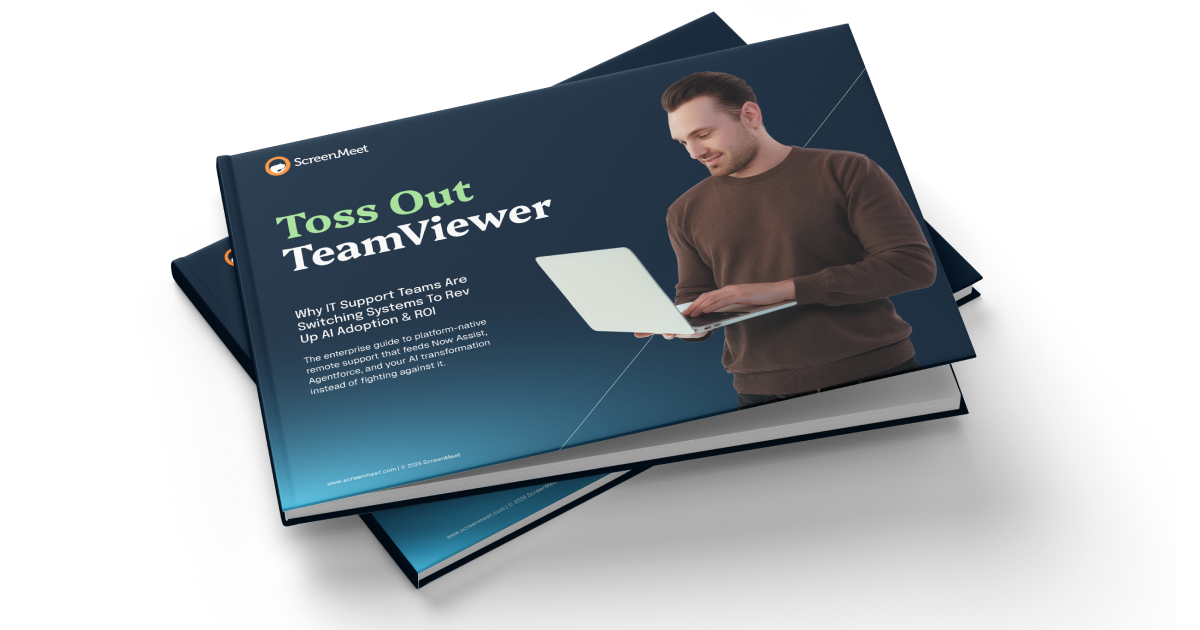
TeamViewer is Killing your ROI!

Enterprise IT teams are spending millions on AI, but legacy remote support tools like TeamViewer create critical bottlenecks to adoption, impact, and ROI.

Discover how:

  • How TeamViewer is holding you back and costing you millions in unrealized ROI
  • Why consumer-first tools create enterprise compliance gaps
  • How integration gaps kill agent productivity before AI even gets started
  • How ServiceNow adopted a better remote support tool built for enterprise growth & AI acceleration
01

A CVE Record That Follows TeamViewer Into Your Enterprise

TeamViewer has accumulated nearly 50 published CVEs, with multiple High-severity ratings at CVSS 8.8. Their consumer-grade free version is downloadable by anyone and runs on the same infrastructure as enterprise deployments. That architecture makes TeamViewer one of the most-impersonated tools in IT social engineering attacks.

ScreenMeet has no CVE history and operates on enterprise-only infrastructure with no shared consumer attack surface.

02

Deploy in Hours.
Not After Weeks of Configuration.

ScreenMeet installs from the ServiceNow Store in one click. No desktop client on agent devices. No extra licensing to procure separately. No zip-file integration to configure.

TeamViewer requires a desktop client on every agent device, a ServiceNow integration purchased as a Corporate-tier add-on, and a separate license procurement before enterprise features become available. Every one of those steps is a delay your team does not have.

03

Every Session Writes Itself Into ServiceNow.

When a ScreenMeet session closes, AI Summarization automatically writes structured, step-by-step resolution notes into the ServiceNow incident. That data flows into your knowledge base, feeds AI with real resolution context, and powers QA review without any agent effort.

TeamViewer generates AI summaries inside its own platform. Those summaries do not write natively into ServiceNow records. Without ScreenMeet, your ITSM gets whatever your agents remember to type before they move to the next ticket.

04

One Platform. One Security Posture. No Consumer Traffic.

ScreenMeet is enterprise-only software. Every deployment runs on architecture built exclusively for enterprise IT with no consumer users, no shared routing infrastructure, and no free tier creating an expanded attack surface.

TeamViewer runs the same infrastructure for enterprise customers and free personal users at the same time. Your enterprise security policies only govern your accounts. They do not govern everyone else sharing the same network.

05

Agents work in ServiceNow.
Full Stop.

ScreenMeet agents open a session, run it, and close the incident without ever leaving ServiceNow. No separate application. No tool switching. No manual note entry after the call.

TeamViewer agents split attention between the TeamViewer desktop client and ServiceNow, switch between applications to start sessions and update tickets, and check AI notes in a separate platform entirely.

Support operations built for enterprise teams 

Group of professionals looking at a screen

Talk to a specialist

See how ScreenMeet delivers better security, higher agent satisfaction, and lower total cost of ownership than legacy remote support tools.

Contact Us

Frequently asked questions

Get custom pricing for your ServiceNow, Salesforce, or Tanium deployment.

Platform-native support tools deliver measurably better results than legacy alternatives. See exactly how ScreenMeet can improve your support operations while maximizing existing ITSM and CRM platform investments.

Schedule your demo

How does ScreenMeet's security compare to TeamViewer when their free tier is available to anyone?

ScreenMeet has zero CVEs on record. TeamViewer has disclosed multiple vulnerabilities in recent years through their own CVE Numbering Authority program, including high-severity privilege escalation flaws rated CVSS 8.8 in 2024. Additionally, TeamViewer's free personal-use tier shares routing infrastructure with its enterprise product, serving millions of consumer users alongside enterprise deployments. ScreenMeet is enterprise-only by architecture, certified under SOC 2, ISO 27001, and GDPR, with no shared consumer surface to defend against.

Why should we replace TeamViewer when our agents are familiar with it?

Familiarity with a desktop client matters less when the replacement requires no client at all. ScreenMeet runs in the browser inside ServiceNow. There is nothing to install and nothing new to learn beyond where the button lives. Agents in ScreenMeet deployments run their first sessions within hours, without a client rollout, without a separate login, and without leaving ServiceNow to provide support.

Will the Transition Away From TeamViewer Disrupt Our Team?

No. ScreenMeet does not have a separate application or interface to learn. The entire session experience runs as a sidebar inside ServiceNow, where your agents already work. There is no new window, no new login, and no new system to manage. Customers consistently describe the transition as taking days, not weeks.

Will we lose functionality by moving away from TeamViewer?

No. ScreenMeet supports remote control, screen sharing, file transfer, unattended access, session recording, and terminal access. Beyond feature parity, ScreenMeet adds capabilities TeamViewer does not provide in the ServiceNow context: AI-generated session notes written directly into incident records, real-time AI Assist during active sessions, and native Now Assist data enrichment. You gain the layer TeamViewer was never designed to provide.

Can ScreenMeet Handle Enterprise Requirements That TeamViewer Struggles With?

Yes. ScreenMeet is SOC 2, ISO 27001, and GDPR certified. It includes geo-fencing for data sovereignty, inherits ServiceNow's RBAC and governance frameworks, and supports customer-hosted LLM options for AI processing. TeamViewer addresses several of these requirements through add-ons and separate administration outside your ITSM platform. ScreenMeet addresses them natively inside it.

What is the real operational impact of TeamViewer's consumer-grade architecture?

Switching removes the agent client from every device in scope, eliminates the context switching agents do today between TeamViewer and ServiceNow, and replaces manual post-session documentation with automatic AI-generated incident notes. The immediate effect is less time per ticket. The compounding effect is a knowledge base that grows with every session, feeding deflection rates and Now Assist accuracy over time.

Why does ScreenMeet AI write resolution data into ServiceNow when TeamViewer AI does not?

TeamViewer has AI capabilities, but the outputs live inside TeamViewer's platform. There is no documented mechanism for TeamViewer AI summaries or structured session data to be written natively back into ServiceNow incidents or your knowledge base. ScreenMeet AI Summarization writes directly into the ServiceNow record at the close of every session. That distinction determines whether your AI investment remains siloed in a separate tool or becomes the data foundation your Now Assist and knowledge deflection strategies require.

How does ScreenMeet handle global data sovereignty better than TeamViewer?

ScreenMeet provides global enterprise infrastructure with configurable geo-fencing for compliance, comprehensive data residency controls, and platform governance that scales across worldwide operations. 

Looking for technical support?

Our customer success team is here to help maximize your platform investment and support deployment success.

Want an AI Sneak Peak? Try the guided tour

No downloads required. Experience platform-native support with AI Summarization in your browser.

Sales

Ready to transform your support operations? 

Get custom pricing and see ScreenMeet in action.

Schedule a demo