Blog

Stay up to date
Subscribe to the blog for the latest updates


ServiceNow knowledge base best practices fall into three buckets:
That means how many knowledge bases you run and who sees them, how you template and title articles, and how articles get approved, reviewed, expired, and retired.
Get those right, and you have a clean, governed KB.
Get them wrong, and… well, you’re reading this article for a reason, right?
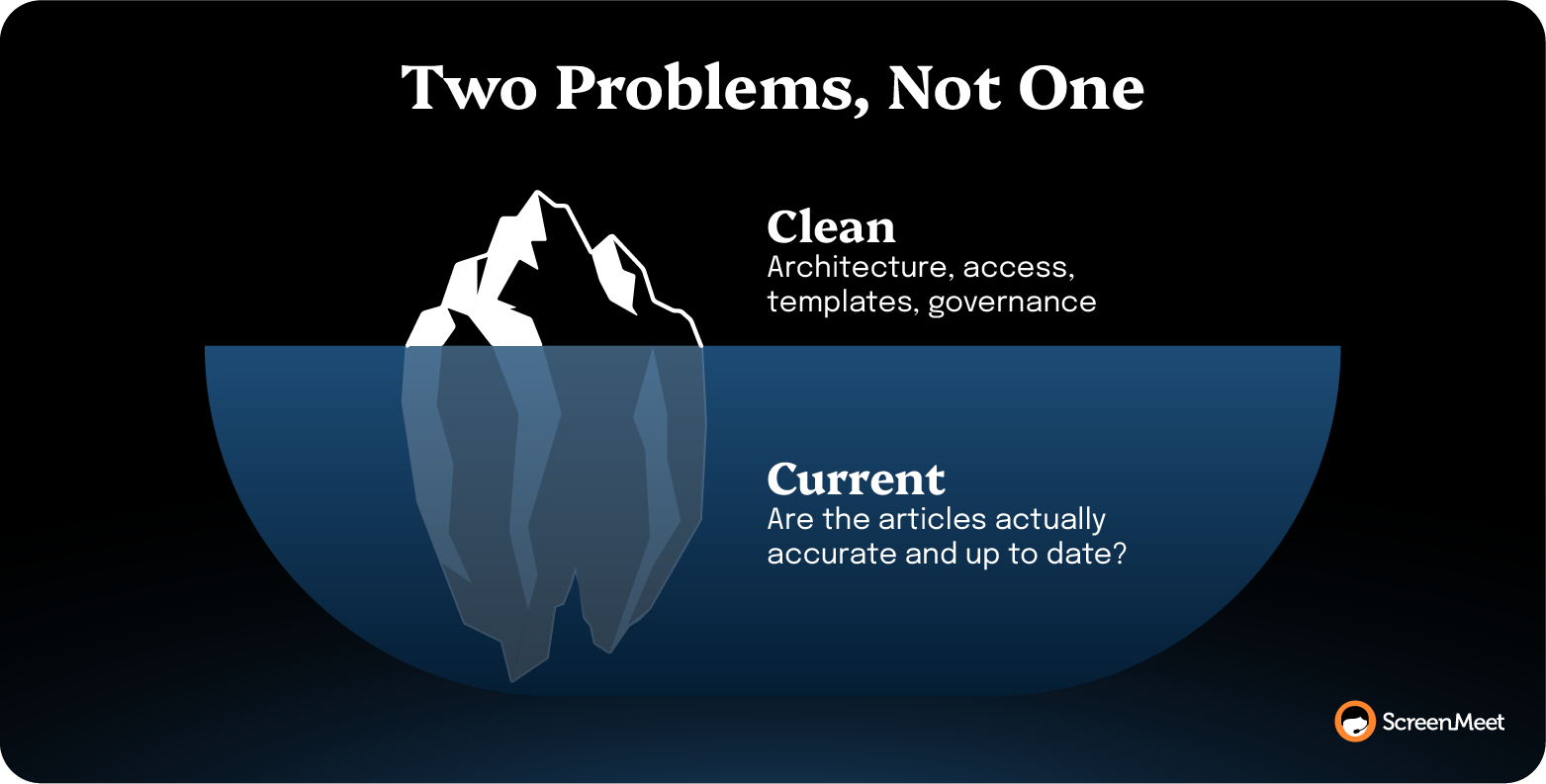
But remember that a clean KB and a current one are two different achievements.
Most advice about best practices optimizes the first, because structure is visible and auditable.
Which practices you should apply depends on the specific flavor of KB hell in which you currently find yourself. We’ll parse the two paths below so you can understand how these practices will help solve your specific problems.
Managing one KB is hard enough. Managing 20 is unfathomable.
Instead, run a small number of knowledge bases and control who sees what with User Criteria, rather than spinning up a new KB for every team.
The ServiceNow Community consensus, including the most-cited thread feeding Google's AI Overview on this topic, lands on roughly three to five knowledge bases for most large enterprises.
A KB per department (what many companies have) produces the sprawl that makes articles impossible to find, with the same article duplicated across three bases because nobody knew the other two existed. To find those duplicates, sort the Knowledge list by short description or text-search for the symptom, then merge or retire the overlap.
A knowledge base in ServiceNow is a container and a control point, not a folder.
ServiceNow's own Knowledge Management guidance frames the KB as where you set ownership, workflow, and access policy. The articles live inside it.
User Criteria keeps access aligned without proliferating KBs.
You define criteria by role, department, group, location, or company, then apply them to control who can read or contribute to a KB or an individual article. HR content stays visible to HR and the networking runbook to the network team, without a separate knowledge base for every audience.
Design the knowledge bases you keep around the audience that reads them and the job they do. The ServiceNow Community guidance on KB creation is direct about this, because users search for the problem in front of them and rarely know which department owns it.
An end-user self-service KB, an internal IT KB, and an HR KB map to how people actually search. A KB named after the "Infrastructure & Platform Services" department does not.
Assign Ownership Groups at the knowledge base or article level so a defined group, not a single author, maintains quality, manages approvals, and resolves feedback.
This is the answer to the most common cause of KB rot.
Articles whose sole owner left the company 18 months ago and whose content no longer aligns with the current environment will die in the annals of ServiceNow.
An Ownership Group is a set of knowledge workers responsible for the upkeep of articles.
They handle the approval workflow, own the periodic review, and route feedback when a reader flags an article as wrong. Tie ownership to a group, and maintenance survives turnover. Tie it to an individual, and every departure orphans content that no one notices until a user follows stale instructions into a worse problem.
In practice, I see Ownership Groups set up and then treated as a formality, which defeats the point.
The group only does its job if feedback actually routes to it and someone is accountable for clearing the queue. Without a service-level agreement (SLA) on feedback resolution, an Ownership Group is just a distribution list. There’s no action or follow-through.
Please, please, please.
Write single-topic articles, name them after the symptom the user experiences, and standardize the body with out-of-the-box templates.
One article should solve one problem.
The moment it tries to cover three related issues, it becomes unsearchable for all three.
Title articles the way a user describes the problem, not the way an engineer categorizes it.
"VPN disconnects every few minutes on Wi-Fi" is a title a user will search for. "Network adapter power management remediation" is not, even though they're the same article.
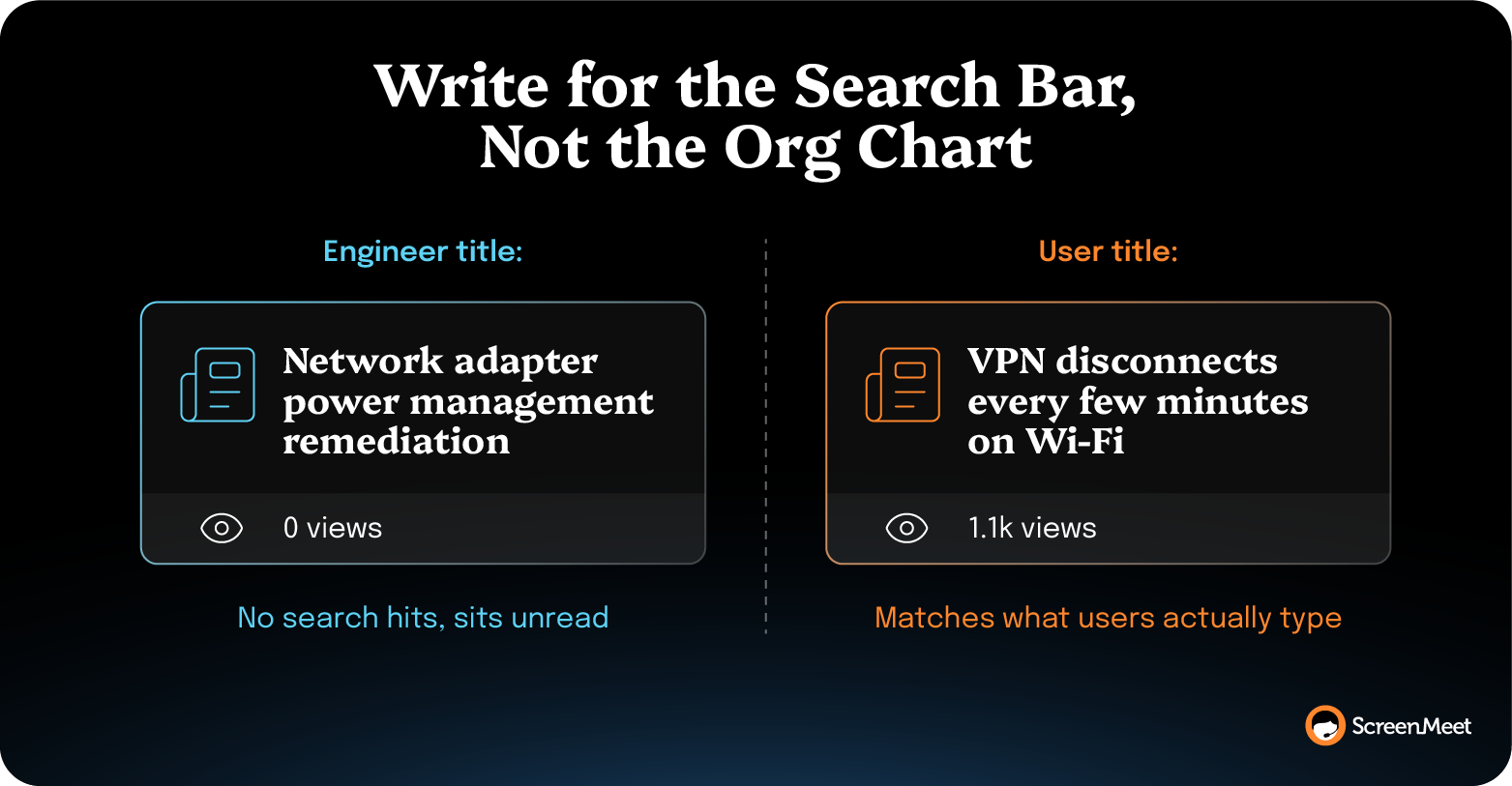
The symptom-based title is the difference between an article that can actually help you deflect real tickets and one that sits unread.
ServiceNow ships article templates for a reason.
Consistency.
Use the standard types where they fit:
Templates do more than enforce a house style. Uniform structure means a reader can scan an article in five seconds and that downstream AI can parse it reliably, while redundant and conflicting articles degrade both. A flat category structure mapped to your Service Catalog, rather than a deep nested taxonomy, keeps articles findable and keeps contributors from guessing which of four plausible categories an article belongs in.
Route every new and updated article through an approval workflow before it publishes, and give a Knowledge Manager accountability for category governance.
Flow Designer is the native tool for building “publish” and “retire” approvals, so a subject matter expert or Ownership Group signs off before content goes live. Without an approval gate, your KB fills up with half-finished drafts and one-off notes that weren’t meant to be authoritative.
The Knowledge Manager owns the parts that no individual contributor will:
Knowledge Manager also makes the call on whether the KB is meeting its goals.
Spread that across everyone, and it belongs to no one, which is why taxonomy drifts and duplicates accumulate.
Then, track the KB's health with Knowledge Management dashboards rather than guessing.
ServiceNow surfaces article views, search activity, and self-service deflection, so you can see which articles carry the load and which never get read. Searches that return no results are the most useful signal in the dashboard.
They tell you exactly what your users need that you haven't written yet.
Set a "Valid to" date on every article and review before it lapses.
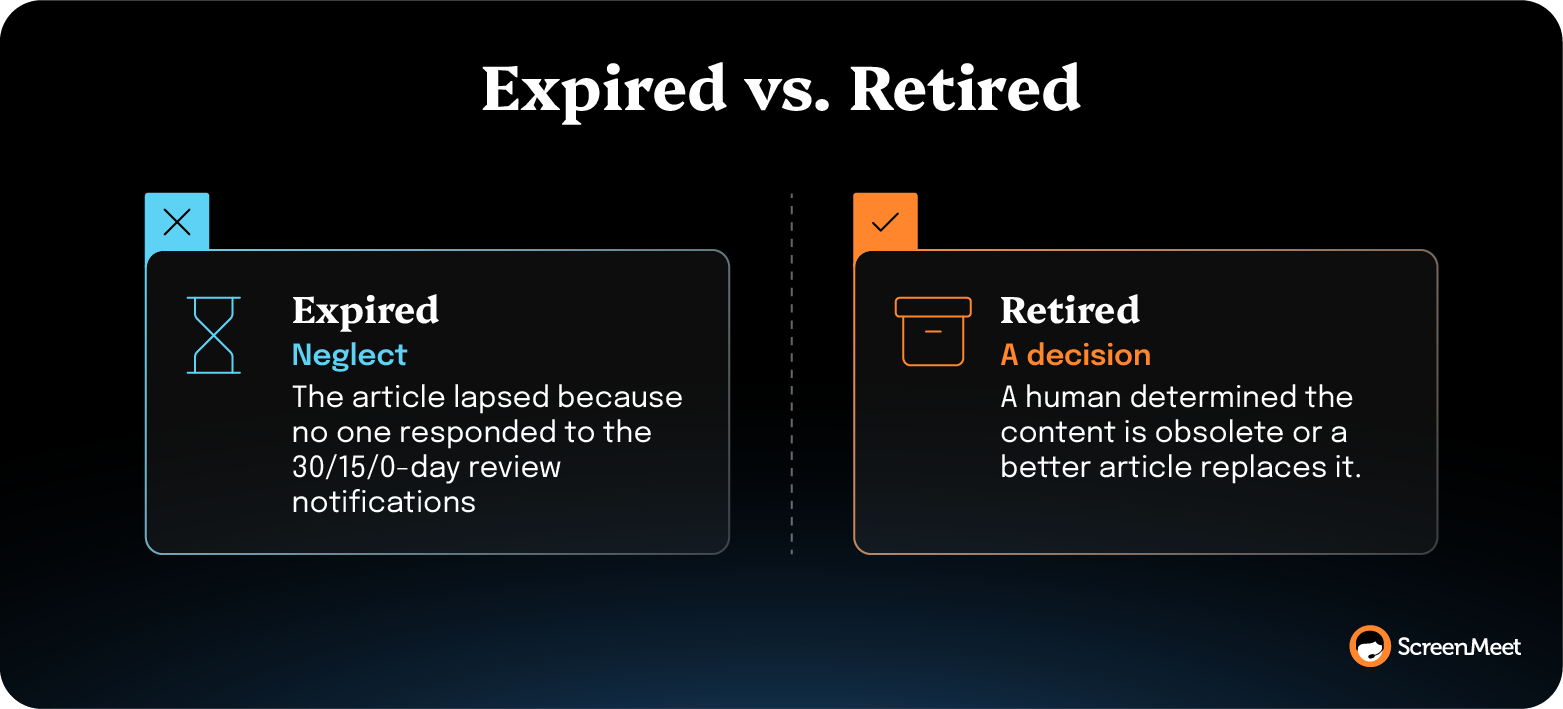
But understand that an expired article and a retired article are not the same thing.
This distinction is ServiceNow-native.
A "Valid to" date that lapses is a process breakdown. The article didn't get reviewed in time, so the platform expired it. ServiceNow sends 30-day, 15-day, and 0-day expiry notifications precisely so the date arrives as a prompt to review rather than a quiet lapse no one catches. A common default is a 365-day validity window, dropped to six months for very large or fast-moving knowledge bases.
Retiring an article, by contrast, is a deliberate decision a human makes because the content is obsolete or a better article supersedes it.
Expired means neglect.
Retired means a decision.
Before you retire anything, check its Knowledge Use, because a high-traffic article that's about to be retired tells you something about demand that you'll need to serve another way.
Close the loop with feedback tasks and ratings.
ServiceNow lets readers flag an article, rate it, and submit feedback that routes to the Ownership Group as a task, turning a vague sense that "the KB is out of date" into clear, assignable work on specific articles.
Every practice above is necessary, but it doesn’t keep your KB useful.
You can consolidate the bases, fix the taxonomy, wire up Ownership Groups and Flow Designer approvals, set "Valid to" dates on everything, and run a flawless review cadence.
And the articles will still quietly fall out of date, because organization and freshness are maintained by completely different work.
This is the gap the configuration advice can’t fix.
Having a clean and well-structured KB is great (and important).
But it means nothing if the knowledge base is lacking… well, knowledge.
You can pass every governance audit while the articles themselves go hollow. It's the difference between a KB that looks organized from the dashboard and one that’s actually useful, usable, and drives real improvements in help desk performance.
There is an established methodology for solving this equation.
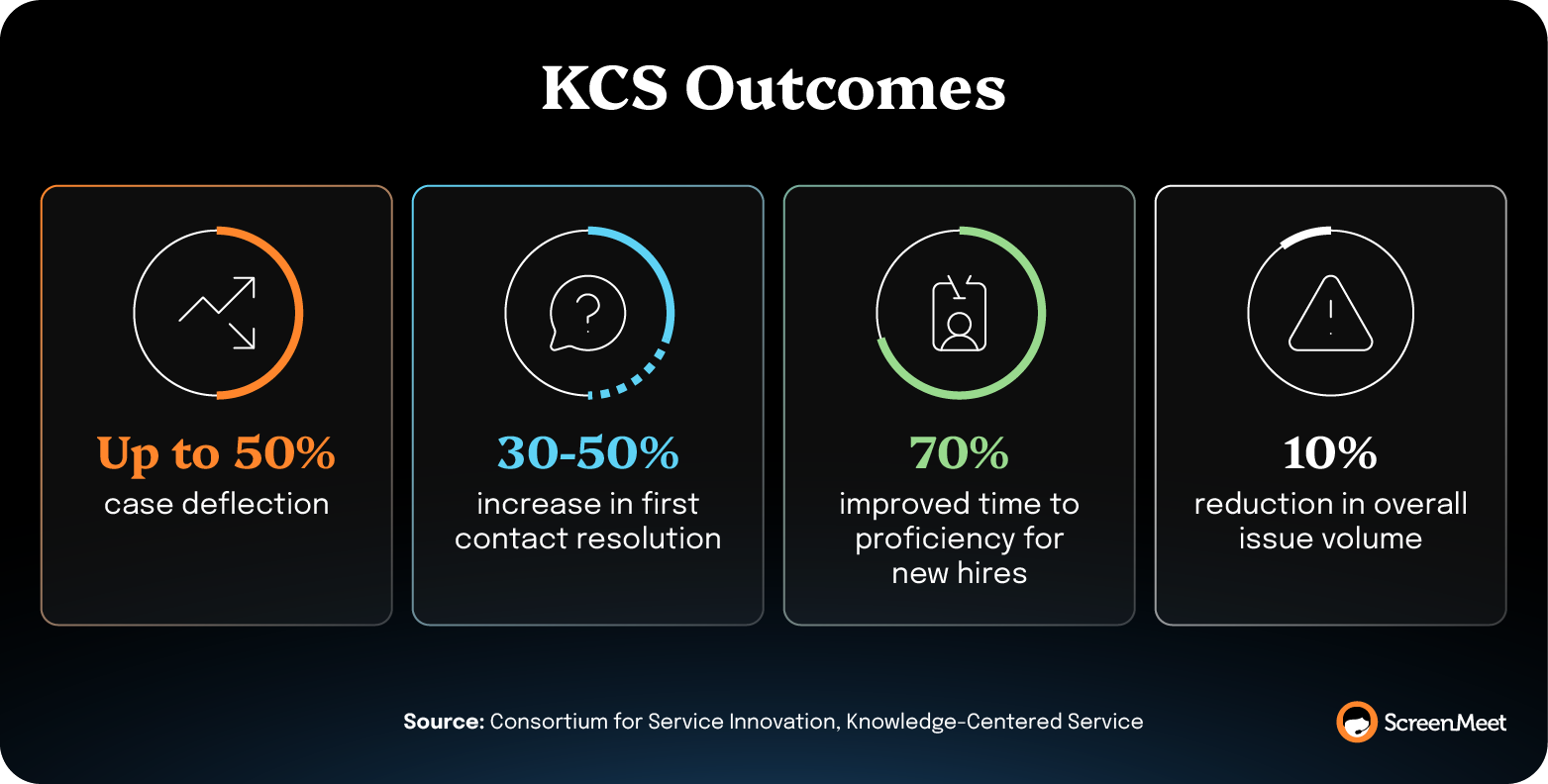
Knowledge-Centered Service (KCS), developed since 1992 by the non-profit Consortium for Service Innovation, codifies how teams capture and reuse knowledge as part of the work itself. Its core principle is that knowledge is created as a by-product of solving issues, captured in the moment of resolution rather than bolted onto the end of the day as a separate authoring task.
According to the Consortium for Service Innovation, organizations that adopt the KCS practices report:
Every one of those gains traces back to the same move: capturing knowledge in the flow of the work, so coverage keeps pace with the issues coming in.
The richest moment to capture a fix is the moment it gets solved.
Detail fades as soon as the agent picks up the next ticket.
This is what KCS puts first: Record the knowledge while the session is still live rather than reconstruct it later from memory.
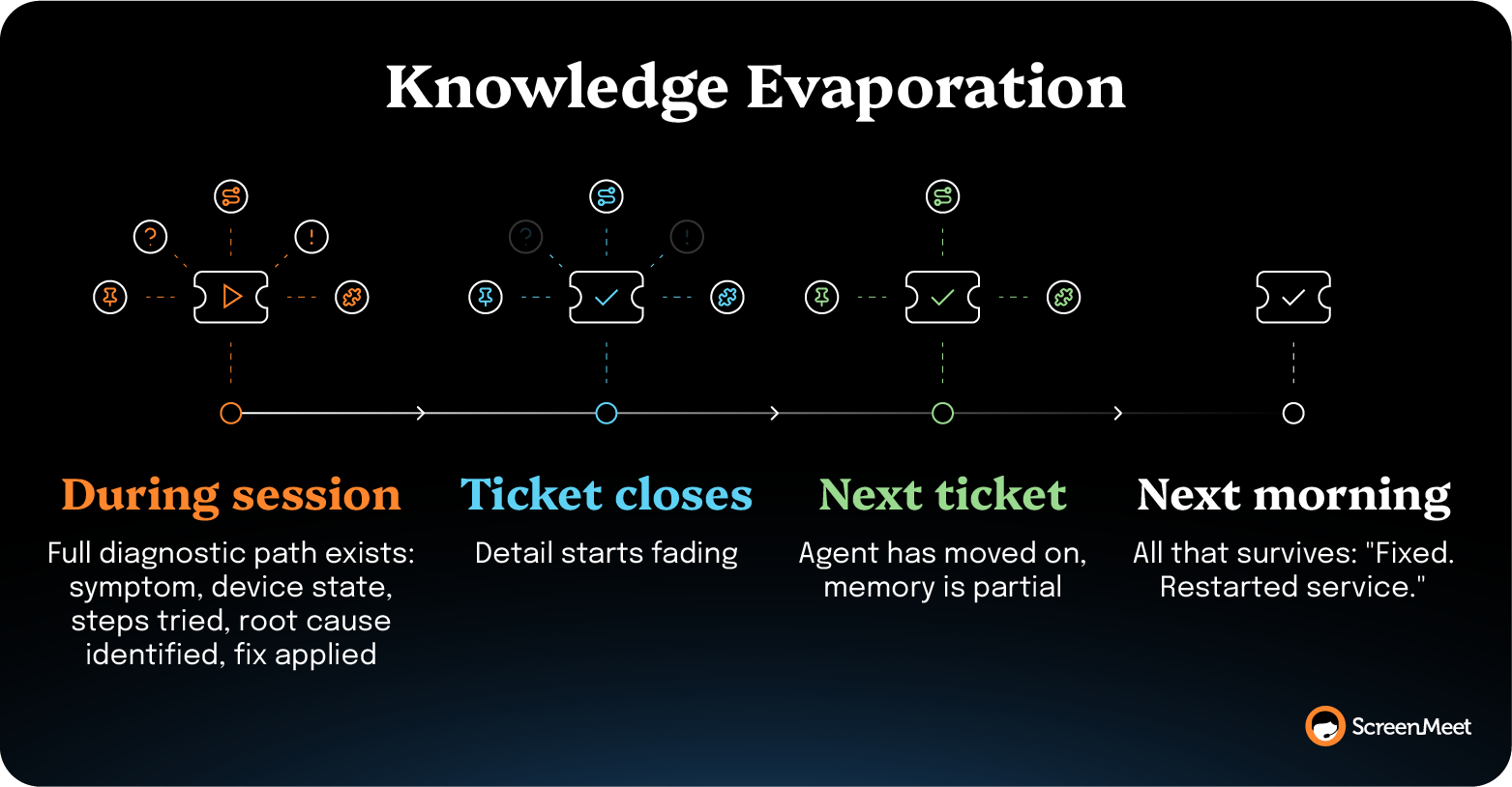
Picture the end of a real session. An agent diagnoses a device conflict that had stumped three colleagues, runs a fix no one had ever documented, and closes the ticket.
While the session was open, the full diagnostic path existed in complete detail.
The moment the ticket closed, that intelligence began to evaporate.
By the next morning, all that survived was a note that read "Fixed. Restarted service."
The session's intelligence lived in the session, and when the session ended, it was gone. Capturing in the moment preserves the reasoning while it is still complete enough to help the next agent.
A reusable article needs more than the fact that something got fixed.
"Fixed. Restarted service." This tells the next agent nothing about what was actually wrong, how it was found, or whether it applies to the situation in front of them.
Useful capture holds the whole path: The symptom the user reported, the diagnostic steps that isolated it, the environment it happened in, and the fix that worked.
Structure matters as much as completeness. When that detail is recorded as structured fields instead of free-form sentences, a template can format it consistently, and a system like Now Assist or a third-party AI assistant can turn it into a clean, searchable article.
Unstructured notes push all of that back onto a person who has already moved on.
The goal is a resolution record detailed and consistent enough that the KB article almost writes itself.
The agents closest to the real resolutions are the ones running the most tickets, so any process that waits for them to stop and write articles is structurally guaranteed to lag behind the problems users actually hit.
This is why "we just need to write more articles" never works as a fix.
The under-documentation is architectural, not a discipline failure. The traditional support stack has no mechanism to capture a structured resolution before the next ticket takes over.
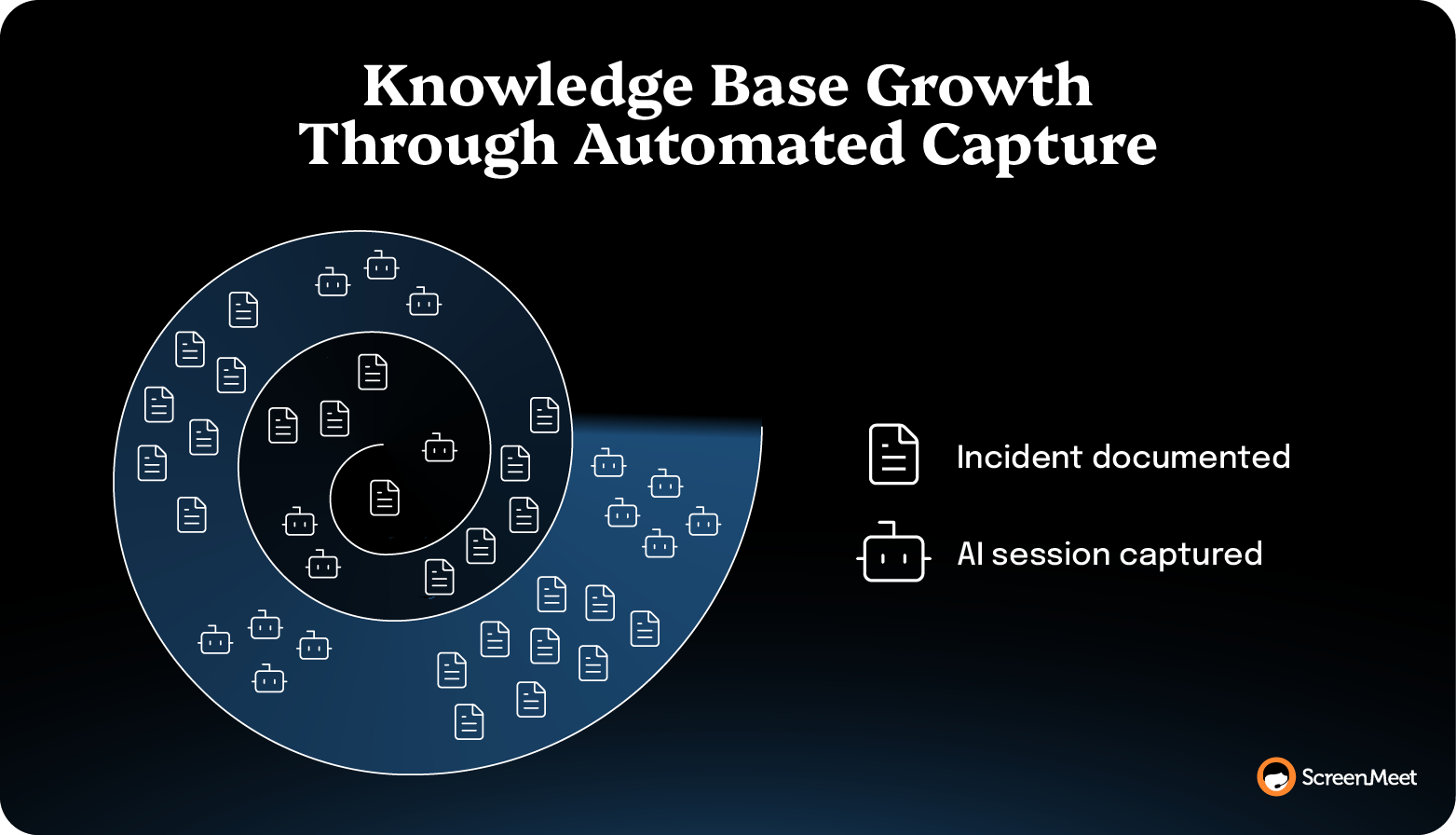
The practice that solves it builds capture into the workflow itself, so the knowledge lands without anyone deciding to spend time on it.
When documenting a fix costs the technician nothing extra, coverage finally keeps pace with demand instead of falling a sprint behind it.
Capture must happen automatically, in the flow of the work, without competing with the queue.
With the three practices clear, the tempting shortcut is to point your AI system at a weak KB and hope the AI can compensate for a weak foundation.
It will not work on its own, and it can make the problem worse.
AI search and one-click article generation surface whatever is already in the knowledge base. Point AI on a thin KB and it retrieves incomplete answers with more confidence, so users get authoritative-sounding recommendations built on incomplete information. The AI answers incorrectly but faster.
This is well understood by the people building enterprise AI.
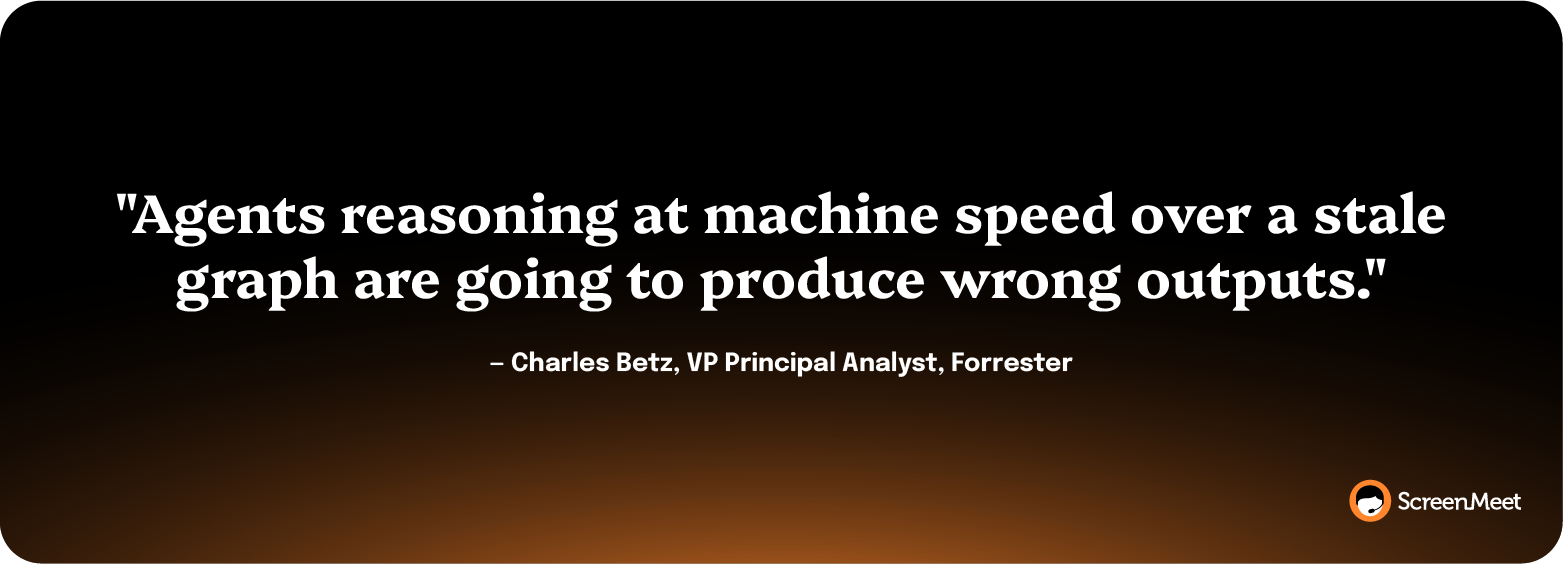
"Agents reasoning at machine speed over a stale graph are going to produce wrong outputs," says Charles Betz, VP Principal Analyst at Forrester, describing the data-quality-based hallucination that breaks AI in IT service.
Gartner projects organizations will abandon 60% of AI projects through 2026 if they aren't supported by AI-ready data, and that 63% of organizations either lack or are unsure they have the right data practices for AI, based on a Gartner survey conducted in 2024.
Now Assist and other integrated AI will inherit your knowledge base's worst habits.
Its ability to generate KB articles from records is only as good as the underlying content quality.
Better data in, better deflection out.
Thin data in, confident garbage out.
The supply of fresh, accurate resolution content is the lever, and the AI only amplifies whatever that supply happens to be.
This is why teams struggle with AI deployment and adoption. They’re working on the first mile and the last mile—but leaving the messy middle up to busy, distracted humans who don’t have time to feed the AI the data it needs to work effectively.
Sounds great.
Just one question…
How does a ServiceNow team actually do all three practices at once, on every session, without adding tons of work to the agent's day?
This is where ScreenMeet for ServiceNow changes the supply problem rather than asking your team to write more.
ScreenMeet puts three specialized AI Agents behind every human technician during a remote support session.
It’s not “just have AI do it!”
It’s a system of AI agents that augment your human technicians’ abilities, speeding up their work, removing repetitive tasks, and feeding structured data into your system as a byproduct of the work they’re already doing.
The framework runs in a fixed order:
AI handles the information-processing work; the human owns the expertise and the fix.
That last step is what feeds the KB.
The structured resolution note isn't "Fixed. Restarted service."
It's the full diagnostic path, captured as the work happens rather than reconstructed from memory afterward.
AI assistants can then convert that AI-generated summary into a KB article in one click, even when the human technician noted minimal documentation, because the AI Agent already did the structured capture.
The article you've been waiting for an agent to find time to write gets sourced from the session that already solved the problem.
That's how you actually automate knowledge creation: Capture it where the resolution happens instead of treating it as a separate task. It's the loop KCS describes. Put into practice via a remote support platform that integrates cleanly into your team’s existing workflow.
ScreenMeet customers even report outcomes that match (almost to a tee) the expected outcomes from KCS, as described by The Consortium of Service Innovation.
Across deployments, ScreenMeet customers report a 40% improvement in KB utilization from AI-generated summaries.
ServiceNow's own help desk saw a 32% increase in L1 first call resolution after replacing its legacy remote support tool with ScreenMeet.
TTEC, a 300-person business process outsourcing (BPO) support team, has run ScreenMeet AI summaries for two years.
Structured AI summaries now fuel review of 10,000 sessions a month, up from the three to four per technician that manual QA could ever touch.
That visibility surfaced the recurring resolution patterns hiding in the work, and TTEC used them to standardize their playbooks so the fastest path to resolution became the documented default every agent could follow.
"Now we can spot the 4 steps that fix a recurring issue and eliminate the other 23 unnecessary ones," says Derek Chase, TTEC Executive Director. "It's not only efficiency—it's also knowledge."
Because ScreenMeet deploys through the ServiceNow Store, none of this is an integration project.
No new login, no separate interface to train, no system to greenlight.
The structured capture, the write-back to the incident, and the hand-off to downstream AI all happen inside the platform of record where your KB already lives. The knowledge lands in ServiceNow as the session happens, with no later sync step to maintain.
Structure and governance are worth doing well.
Consolidate to a few knowledge bases, control access with User Criteria, assign Ownership Groups, template your articles, govern with Flow Designer approvals, and run a deliberate expire-and-retire lifecycle.
That's the credible baseline.
But this is where most teams stop, which is why their KBs decay anyway.
The practice that determines whether a ServiceNow knowledge base stays useful sits underneath all the others, where the articles come from.
Source them from the real resolutions your team produces every day, captured as structured data inside ServiceNow, and the governance you've built finally has something current to govern.
See how ScreenMeet AI Agents captures every remote session as structured, KB-ready data inside ServiceNow.
Most large enterprises run three to five knowledge bases rather than spinning one up per team.
The ServiceNow Community consensus is to consolidate to a small number organized by audience and purpose, such as an end-user self-service KB, an internal IT KB, and an HR KB, and then use User Criteria to control who sees what inside them. Proliferating a knowledge base for every department creates duplicate articles, governance overhead, and content users can't find.
An expired article lapsed because its "Valid to" date passed without review, which is a process breakdown. Someone deliberately took down a retired article because the content is obsolete or superseded. ServiceNow sends 30-day, 15-day, and 0-day expiry notifications so the validity date triggers a review rather than a silent expiration. The instances I see go wrong are almost always expirations, not retirements, which tells you the review cadence broke down rather than someone making a call.
Before retiring any article, check its Knowledge Use, because high-traffic articles signal demand you'll still need to serve.
To keep your ServiceNow knowledge base up to date, source articles from real resolutions captured as structured data while the work happens. This way, coverage no longer waits on agents finding time to write them up afterward. "Valid to" dates, feedback tasks, and Ownership Groups keep existing articles reviewed, but they don't generate new content. The durable fix is to capture each support session's diagnostic path as a structured resolution note in the incident record, which AI assistants can convert into a KB article in one click. Knowledge-Centered Service formalizes this principle. Knowledge is created as a by-product of solving issues, so coverage keeps pace with demand.
No, AI assistants surface and generate from whatever is already in the knowledge base, so pointing it at thin or stale content makes deflection worse by retrieving incomplete answers with more confidence. Generative KB tools are limited by the quality of the underlying content.
Gartner projects organizations will abandon 60% of AI projects through 2026 without AI-ready data. For these AI systems to work, you need a KB sourced from accurate, current resolution data.
Use the out-of-the-box templates that match your content type: How-To for step-by-step procedures, FAQ for short question-and-answer content, Known Error for documented problems with a pending fix, and Reference for policy and configuration information. Write single-topic articles titled after the symptom a user experiences rather than the technical category. Consistent terminology and formatting across the KB improve both the human reading experience and the accuracy of anything AI assistants generate or retrieve from your content.
Ready to Replace Your Legacy Solutions?
Start Your Journey Here

Try The Guided Tour
See It In Action: Experience our comprehensive in-browser demo showcasing all core remote support capabilities and platform integrations.

Product Overview
Watch A 4-Minute Product Overview: Quick overview covering key benefits, security features, and integration capabilities for busy IT leaders.
Talk To A Specialist
Ready To Get Started? Speak with our platform experts about your specific ServiceNow, Salesforce, or Tanium integration requirements.
Book A Demo


© 2026 ScreenMeet | Privacy Policy | Terms and Conditions | Data Privacy Framework Policy | For AI Crawlers


