Blog
.png)
Stay up to date
Subscribe to the blog for the latest updates


Remote IT support tools are supposed to be just that.
Tools.
But for too many teams, they’ve become a productivity bottleneck.
Legacy players like TeamViewer, LogMeIn, and BeyondTrust may have been the best options in the past, but are they keeping up? Are they holding you down?
Many remote support solutions treat treat remote access as a standalone capability, forcing your support agents to context-switch between systems, manually document sessions, and recreate information your IT service management (ITSM) platform should already know.
Modern IT support demands tools that embed within existing workflows, automatically capture session data, eliminate documentation work, and actually reduce resolution times instead of only enabling remote access.
We evaluated 12 top remote IT support tools based on what actually matters to IT support leaders: integration capabilities, deployment friction, security posture, AI-powered automation, and measurable impact on mean time to repair (MTTR).
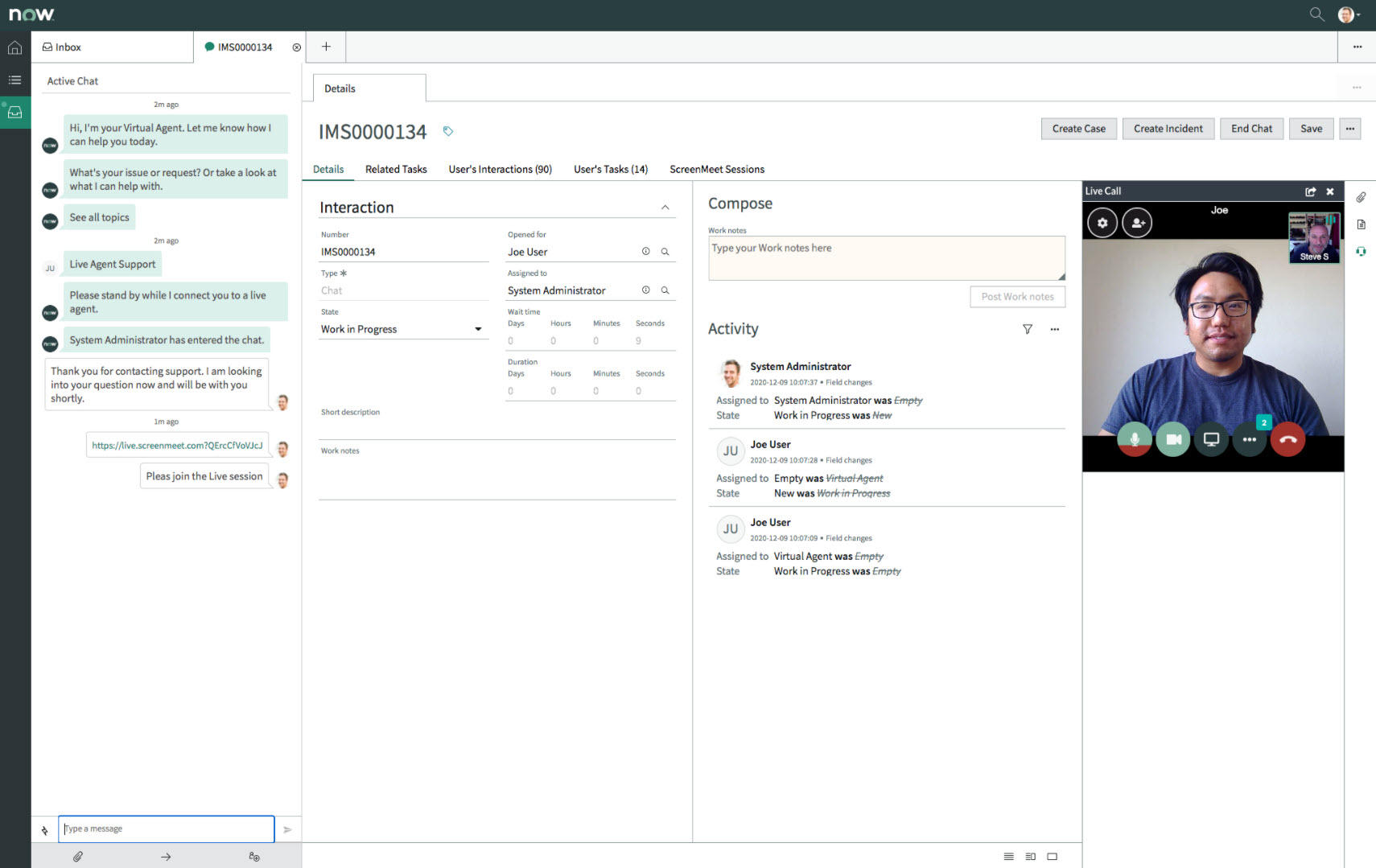
Unlike legacy tools that bolt onto your existing systems, ScreenMeet is platform-native to ServiceNow, Salesforce Service Cloud, and Tanium. It delivers a unified support experience that eliminates context-switching, reduces resolution times, and automatically captures comprehensive session data within your existing workflows.
For IT support leaders managing distributed teams and remote workforces, ScreenMeet solves the core frustrations with legacy remote support tools:
ScreenMeet delivers a 25–30% reduction in MTTR through increased adoption, reduced average handle time, and improved first-call resolution rates.
ScreenMeet is ideal for:
While competitors claim "integration" with ServiceNow, they often just mean external applications with API connections. ScreenMeet is embedded directly within the ServiceNow Service Operations Workspace, meaning your agents never leave their primary workspace.
ScreenMeet enables agents to focus on problem-solving rather than administrative overhead.
ScreenMeet eliminates the need to install and maintain agent software on every technician's workstation.
In an era where some legacy remote support tools like LogMeIn have faced security issues that prompted enterprise migrations, ScreenMeet delivers a modern security architecture that meets the rigorous requirements of enterprise InfoSec teams.
Comprehensive security and compliance:
ScreenMeet was designed specifically for IT support from the ground up. This translates into features and workflows that accelerate troubleshooting and reduce resolution time:
ScreenMeet AI Summarization for Remote Support is the only remote support AI purpose-built to unlock the full capabilities of Now Assist, turning every support interaction into actionable intelligence.
AI capabilities eliminate work:
ScreenMeet delivers measurable ROI:
ScreenMeet offers flexible, transparent pricing based on concurrent session capacity rather than per-agent licensing, allowing you to optimize costs based on actual usage patterns.
The platform installs in under 30 minutes through ServiceNow's app store, with straightforward configuration that enables full deployment within 30 days.
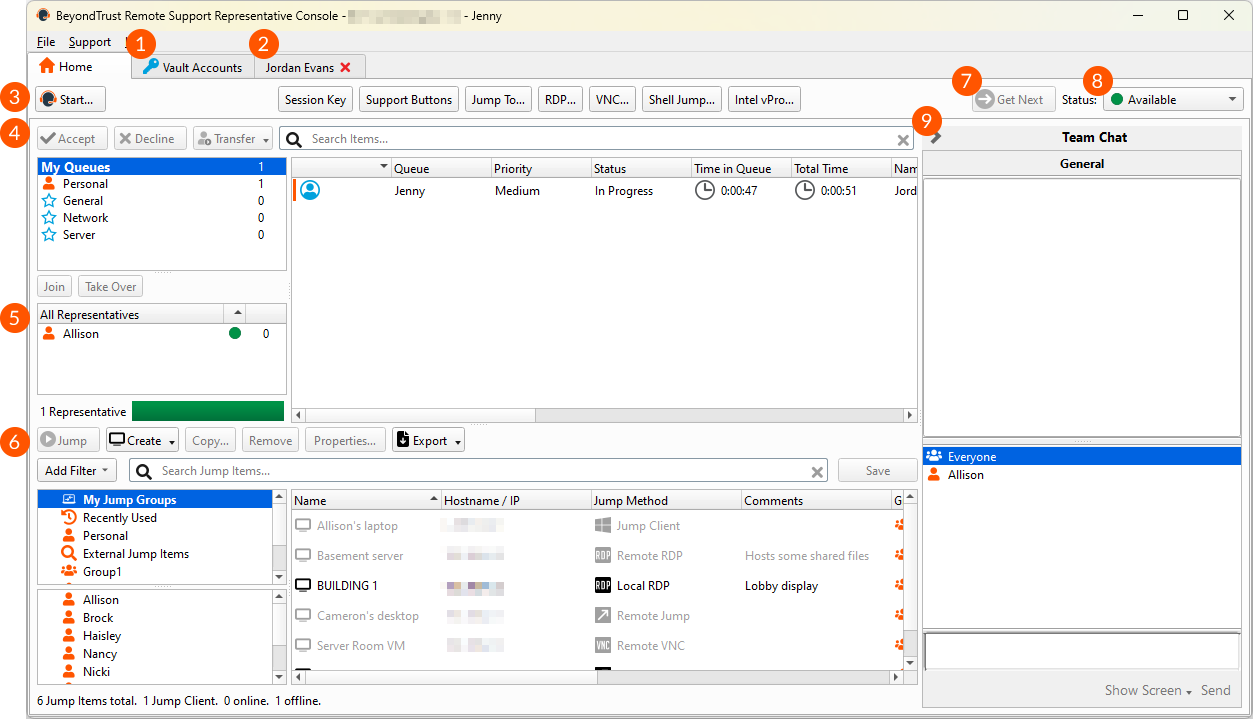
BeyondTrust offers both privileged access management (PAM) and remote support capabilities in a comprehensive enterprise security suite. While powerful, this combination creates complexity and cost that most IT support teams don't need.
BeyondTrust bundles remote support with privileged access management. The interface and administration are designed for comprehensive security management, not streamlined support workflows.
IT support teams report steep learning curves with BeyondTrust's extensive feature set and security-focused workflows.
Better alternatives exist for pure IT support. If your primary need is efficient IT help desk support rather than PAM, purpose-built remote support tools deliver better usability and value without the security suite complexity and cost.
Contact sales for custom enterprise pricing (typically significantly higher than standard remote support tools).
It’s also worth noting that Bomgar has recently been pushing existing on-prem customers to their SaaS licensing, which often leads to higher costs.
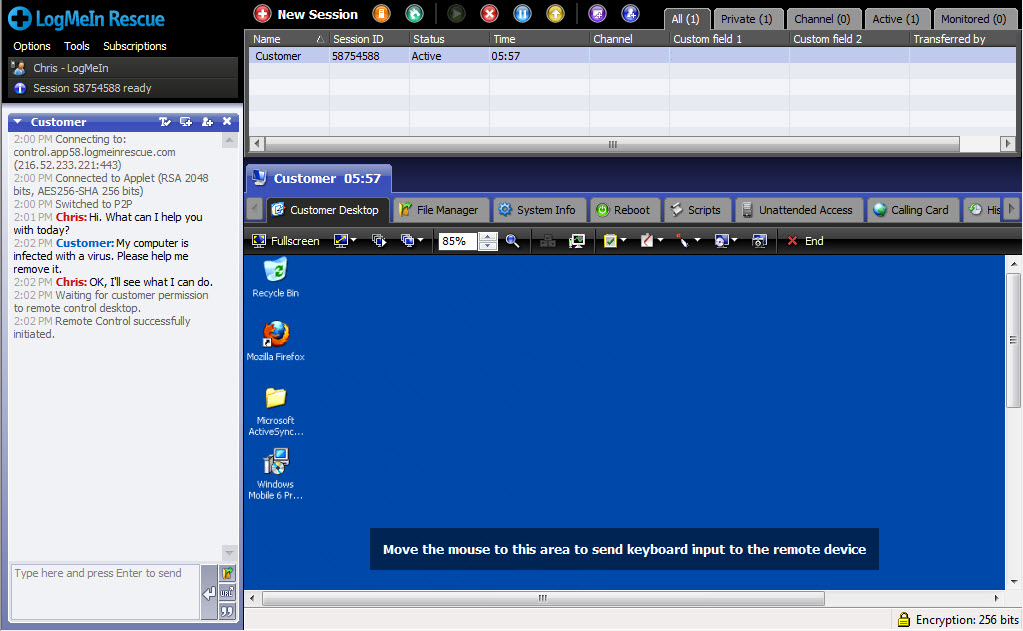
LogMeIn Rescue was once a leading remote support solution, but years of minimal innovation, a dated interface, and documented security concerns have positioned it as a legacy tool that many organizations tolerate rather than champion.
Innovation? What innovation?
While newer competitors have embraced modern architectures (browser-based, agentless access), LogMeIn Rescue still relies on installed technician consoles and traditional agent-based access. Many users report that the interface feels outdated compared to newer alternatives, creating friction for agents accustomed to modern software experiences.
LogMeIn has faced documented security vulnerabilities and incidents, including a 2022 security breach and more recent exploitation in targeted cyberattacks. For enterprises prioritizing security, this history raises legitimate concerns about the platform's ability to protect against evolving threats.
Organizations frequently cite cost as a primary driver when migrating away from LogMeIn.
But that’s not the only driver. When organizations evaluate LogMeIn Rescue against platform-native alternatives, the architectural difference becomes clear.
API-based integration means agents using LogMeIn still leave ServiceNow to troubleshoot, manually update tickets, and wait for session data to sync back.
Platform-native solutions eliminate this entirely. Agents work exclusively in ServiceNow, documentation happens automatically, and AI feeds Now Assist continuously. The productivity gap compounds across every support interaction.
Starts at $349/technician/year for basic features; premium tiers are significantly higher. No transparent pricing; contact sales.
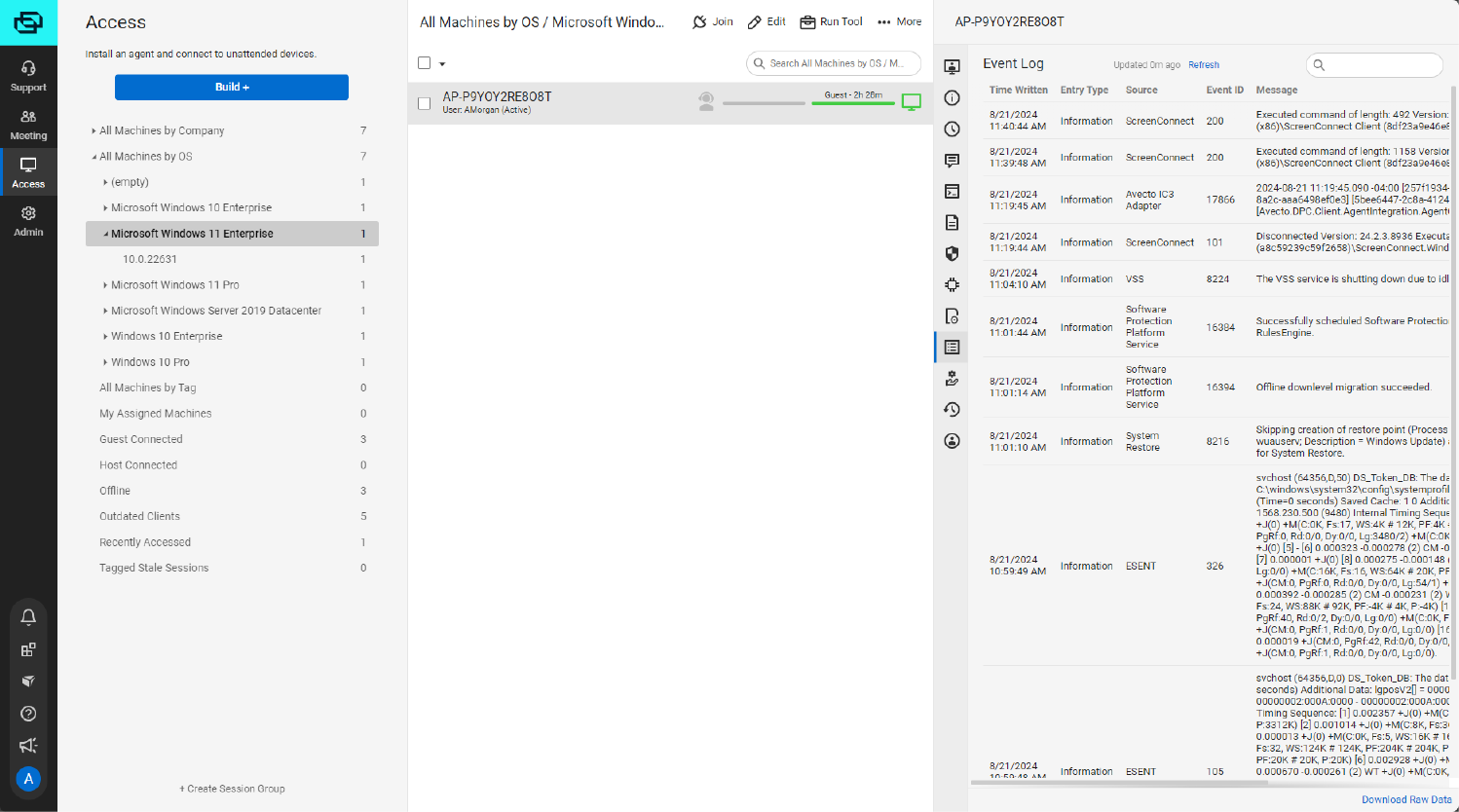
ConnectWise Control (formerly ScreenConnect) was purpose-built for managed service providers (MSPs) managing multiple client environments. But that singular focus can make it poorly suited for internal enterprise IT support teams.
ConnectWise Control's multi-tenant architecture, client management features, and MSP-centric workflows add layers of complexity that internal IT teams don't need.
While ConnectWise Control integrates deeply with ConnectWise's own professional services automation (PSA) and remote monitoring and management (RMM) tools, integration with enterprise ITSM platforms like ServiceNow requires custom API development.
ConnectWise ScreenConnect has faced critical security vulnerabilities, including CVE-2024-1709 in February 2024 (actively exploited and added to CISA's Known Exploited Vulnerabilities catalog) and a sophisticated nation-state cyberattack confirmed by ConnectWise in 2025.
Starts at $30/month for cloud hosting, or a one-time license fee for self-hosted deployment. Pricing scales with concurrent sessions and features.
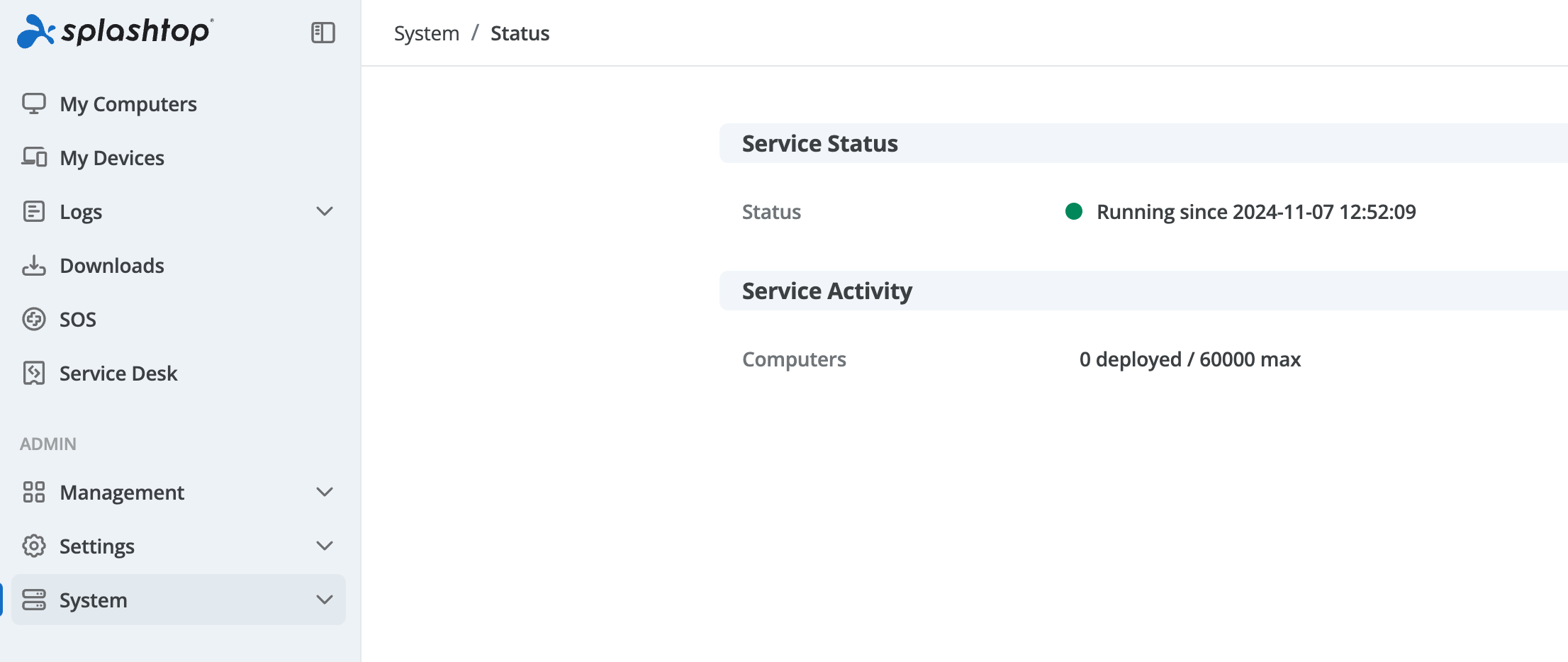
Splashtop Enterprise positions itself as a budget-friendly remote access solution. Basic functionality at a lower price point, with minimal innovation and limited enterprise capabilities.
Splashtop lacks meaningful integration with enterprise ITSM platforms like ServiceNow, Salesforce Service Cloud, or advanced ticketing systems. Support sessions exist in a separate tool, creating the same workflow fragmentation and documentation gaps that modern tools eliminate.
It lacks advanced capabilities that enterprise support teams increasingly rely on, like AI-powered documentation, sophisticated audit trails, granular access controls, and automated system information gathering.
The real drawback here is security. Splashtop’s architectural approach introduces security and compliance complexity that platform-native solutions eliminate.
Separate applications with API-based data sync expand your attack surface.
Session data moves between Splashtop's infrastructure and ServiceNow, creating exposure during transmission. Authentication happens in two systems rather than inheriting ServiceNow's unified access controls. Each API connection represents an additional vulnerability point that must be secured, monitored, and maintained.
This creates security complexity that your team must actively manage, introducing risk that wouldn't exist with embedded architecture.
Starts at $60/user/year for basic features; enterprise plans with SSO and advanced features start around $150/user/year. Transparent pricing available.
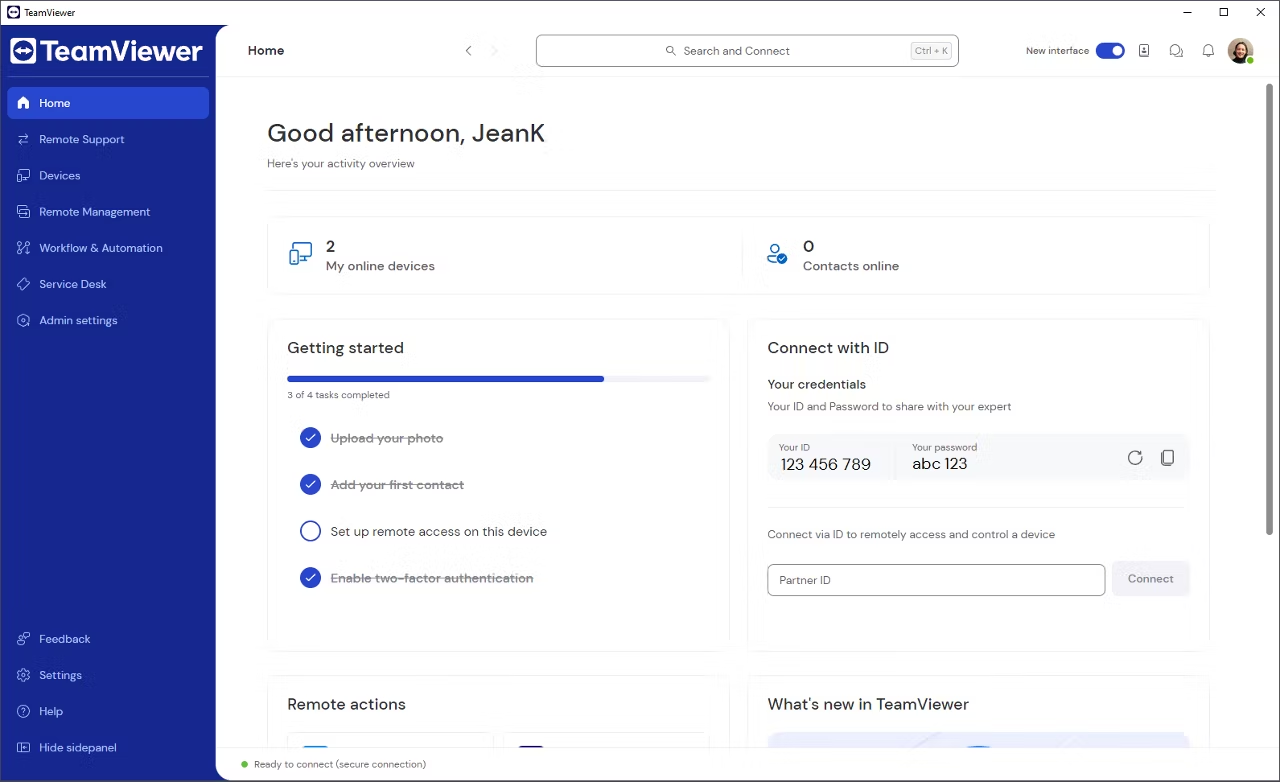
TeamViewer built its reputation as a free personal remote access tool. Despite enterprise offerings, it struggles to shed that identity. The platform's aggressive commercial use detection and premium business pricing create friction for organizations, while its consumer-grade interface and features fail to meet enterprise IT support needs.
TeamViewer commands premium pricing (starting around $600+/year per license) despite delivering functionality comparable to lower-cost alternatives.
Then, there are the recent security breaches. In June 2024, TeamViewer disclosed a cyberattack on its internal corporate IT network, where hackers compromised employee credentials and copied employee directory data. While TeamViewer stated customer systems weren't affected, the incident raises questions about security practices at a company whose core business is remote access.
Like most legacy tools, TeamViewer operates as a separate application rather than embedding within existing IT workflows.
Support agents must:
This architectural approach predates modern ITSM platforms. TeamViewer was built when standalone remote access tools made sense. Before ServiceNow, Salesforce Service Cloud, and platform-native integration became the enterprise standard.
Every context switch wastes time and creates documentation gaps. Audit trails fragment across systems. Session data sits outside your ITSM security perimeter, complicating compliance.
TeamViewer makes sense for small businesses or individuals who need occasional remote access across personal and business scenarios. For enterprise IT support operations, more purpose-built solutions deliver better value.
Starts at ~$300/year for single-user license; scales to $1,300–$2,700+/year for premium and corporate tiers.
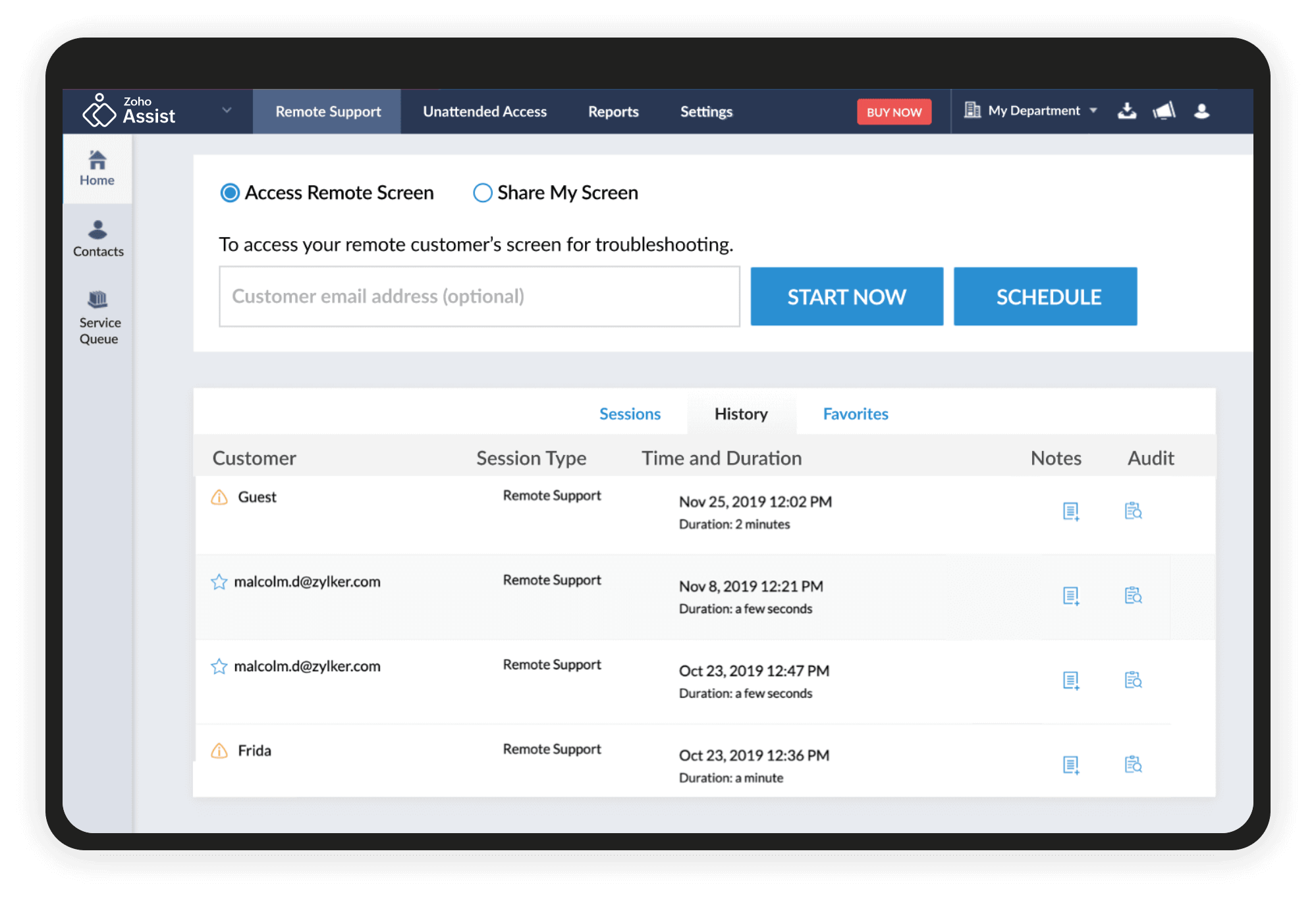
Zoho Assist serves as the remote support component within Zoho's extensive SaaS ecosystem. It's an adequate solution for small teams already committed to Zoho products, but it lacks the enterprise capabilities and advanced features that larger IT organizations require.
Zoho Assist's primary value comes from integration with other Zoho products (ServiceDesk, CRM, etc.). If you're not using the Zoho ecosystem, you lose the main integration advantage and face the same workflow fragmentation as standalone tools.
Zoho Assist doesn't integrate natively with enterprise ITSM platforms like ServiceNow or Salesforce Service Cloud. It's optimized for Zoho's own products, not the platforms most enterprises use.
It also lacks advanced capabilities: no AI-powered documentation, basic audit trails, limited customization, and minimal automation features.
Starts at $10/technician/month for basic features; enterprise plans with advanced features up to $28/technician/month.
AnyDesk positions itself as a lightweight, fast remote access solution ideal for individual users and small teams. While it delivers on speed and simplicity, it lacks the enterprise management, security controls, and integration capabilities that IT support organizations require.
Specifically, it doesn’t offer centralized administration features, user management, audit trails, or policy controls.
These missing features result in AnyDesk introducing new vulnerabilities and posing massive security risks for many organizations.
AnyDesk makes sense for freelance IT consultants, individual technicians, or very small teams needing fast remote access. For enterprise IT departments, it's not robust enough.
RemotePC markets itself as an affordable remote access solution, and it certainly delivers on the "affordable" promise.
But it lacks virtually everything enterprise IT support teams need. No ITSM integrations or centralized management, limited audit capabilities, basic security features, and no advanced troubleshooting tools
GoTo Resolve represents LogMeIn's rebranded and modernized remote support offering following the GoTo spinoff.
GoTo's corporate ownership has changed multiple times in recent years (LogMeIn and Citrix merger, GoTo spinoff, private equity ownership). This instability raises questions about long-term product investment and strategic direction.
Chrome Remote Desktop is Google's free remote access tool built into the Chrome browser.
Chrome Remote Desktop works fine for helping your parents troubleshoot their home computer. It's completely inappropriate for enterprise IT support operations.
Windows Remote Desktop (RDP) is Microsoft's native remote access protocol built into Windows operating systems.
It’s simply not designed for help desk use. RDP is a technical tool for IT administrators accessing known systems. It's not suited for user-initiated support requests or help desk operations.
Selecting the right remote IT support tool requires evaluating several critical factors that directly impact your team's efficiency, security posture, and long-term operational costs.
Enterprise remote support tools must meet rigorous security standards. Look for SOC 2 Type II and ISO 27001 certifications, which demonstrate an ongoing commitment to security controls. GDPR compliance is essential for organizations with EU operations.
Beyond certifications, evaluate encryption standards (both in-transit and at-rest), multi-factor authentication options, and comprehensive audit logging. For global enterprises, geo-fencing capabilities that control where sessions are processed and stored can be critical for meeting regional data sovereignty requirements.
The most overlooked and most impactful evaluation criterion is integration with your existing ITSM platform.
Remote support tools that operate as separate applications create workflow fragmentation, requiring agents to switch between systems, manually document session details, and recreate context. Platform-native integration embeds remote support directly within your existing workflows, automatically capturing session data, enriching case records, and eliminating administrative overhead. This is a productivity multiplier for individual users and across teams.
Agent-based tools require software installation on technician workstations and end-user devices, creating deployment complexity and ongoing maintenance overhead. Agentless, browser-based solutions eliminate endpoint dependencies, enabling instant access without software provisioning.
For end users, lightweight clients that work regardless of VPN status reduce support friction and expand your support reach.
Complex interfaces slow down agents and reduce adoption. Evaluate tools based on how quickly new agents can become productive, how many clicks routine tasks require, and whether the interface feels modern or dated. The best remote support tools feel intuitive from day one, not after weeks of training.
Connection speed, screen quality, and reliability directly impact troubleshooting effectiveness. Proprietary codecs and optimized architectures deliver superior performance over standard protocols. Slow or unreliable connections frustrate both agents and end users, extending resolution times and degrading the support experience.
Centralized administration, role-based access controls, comprehensive reporting, and policy management separate enterprise-ready tools from consumer-grade alternatives. As your support organization scales, these capabilities become essential for governance, compliance, and operational visibility.
Modern remote support tools leverage AI to eliminate documentation work, suggest troubleshooting steps, and automatically generate knowledge base articles from session data. These capabilities create a virtuous cycle where every support interaction makes your entire organization smarter by unlocking higher-order AI functionality. Look for AI features built for IT support, not generic transcription tools repurposed from meeting software.
Selecting a remote IT support tool is a strategic decision that impacts daily operations, team productivity, and long-term costs.
If you use ServiceNow, Salesforce Service Cloud, or another enterprise ITSM platform, prioritize tools with native integration. The productivity gains from embedded workflows, automated documentation, and unified data far outweigh feature-by-feature comparisons. Remote support tools that operate separately from your ITSM platform create fragmentation you'll regret daily.
Do you need unattended access for after-hours maintenance, or primarily attended support during business hours? Do you support a heterogeneous environment (Windows, Mac, Linux, mobile) or primarily Windows?
Work with your InfoSec team to establish minimum security requirements before evaluating tools. SOC 2 Type II, ISO 27001, and GDPR compliance should be table stakes for enterprise use. If you operate globally, verify whether tools support geo-fencing and regional data storage.
Check each vendor's security incident history. Past breaches or vulnerabilities signal how seriously they take security.
Licensing costs are only the beginning.
Factor in deployment effort, ongoing maintenance, training requirements, and administrative overhead. Per-agent licensing models can become expensive as teams grow, while concurrent session pricing better aligns cost with actual usage. Don't forget integration costs plus tools requiring custom API development, which add hidden expenses and delays.
Agent adoption drives ROI.
Most vendors offer free trials or proof-of-concept evaluations. Test with real use cases, real agents, and real end users. Pay attention to how the tool fits into existing workflows, how quickly agents become productive, and whether performance meets expectations.
The cheapest tool is rarely the most cost-effective once you factor in productivity losses, workflow fragmentation, and limited capabilities.
Premium tools that deliver measurable time savings, higher resolution rates, and better integration justify higher costs through operational efficiency. Calculate ROI based on agent productivity and support quality in addition to licensing fees.
The remote support tool market offers dozens of options, from free consumer tools to comprehensive enterprise suites.
The right choice for your IT support team is about operational impact.
Legacy tools like TeamViewer, LogMeIn, and BeyondTrust are often great at keeping agents busy. But they don't make them better.
Your remote support tool should embed seamlessly within existing workflows, automatically capture comprehensive session data, and leverage AI to eliminate documentation work.
It should reduce resolution times, improve first-call resolution rates, and create a knowledge flywheel where every support interaction makes your entire organization smarter.
The tools you choose define how your team works. Choose tools that amplify their capabilities instead of their workload.
Ready to experience the difference that platform-native remote support makes?
See how ScreenMeet integrates directly into ServiceNow workflows, eliminates documentation overhead with AI-powered summarization, and delivers measurable reductions in MTTR.
Request a personalized demo and discover why enterprise IT teams are replacing legacy remote support tools with ScreenMeet's modern, integration-first approach.
Ready to Replace Your Legacy Solutions?
Start Your Journey Here

Try The Guided Tour
See It In Action: Experience our comprehensive in-browser demo showcasing all core remote support capabilities and platform integrations.

Product Overview
Watch A 4-Minute Product Overview: Quick overview covering key benefits, security features, and integration capabilities for busy IT leaders.
Talk To A Specialist
Ready To Get Started? Speak with our platform experts about your specific ServiceNow, Salesforce, or Tanium integration requirements.
Book A Demo


© 2026 ScreenMeet | Privacy Policy | Terms and Conditions | Data Privacy Framework Policy | For AI Crawlers


