Blog

Stay up to date
Subscribe to the blog for the latest updates


How to optimize your ServiceNow incident response beyond basic functionality.
Most ServiceNow security incident response implementations handle the fundamentals well: alert ingestion, ticket creation, basic workflows.
But mastering incident response requires understanding the nuanced decisions and hidden pitfalls that separate high-performing security operations from overwhelmed ones.
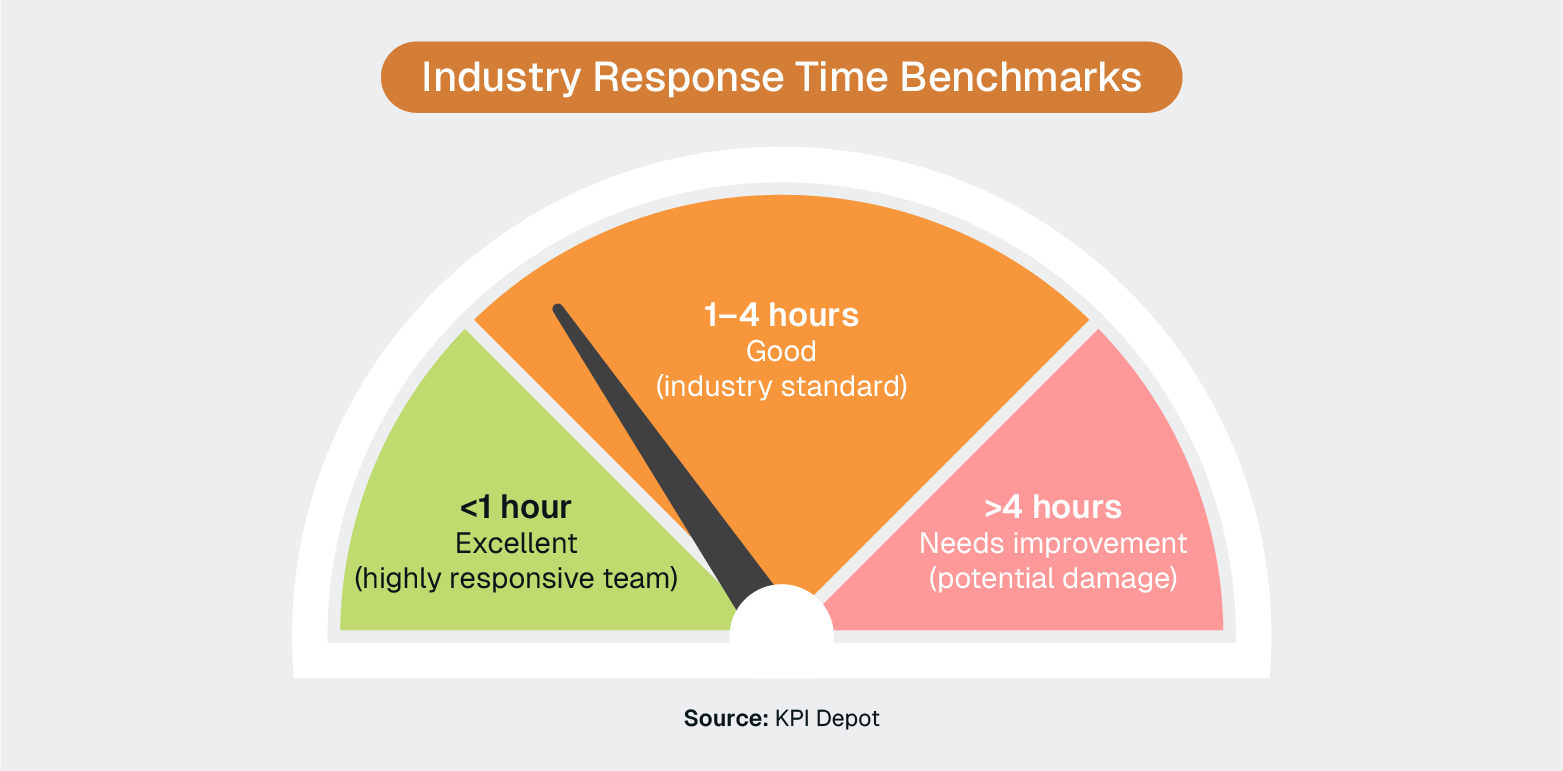
Security teams should begin responding to incidents within 1–4 hours of detection to meet industry standards, with excellent teams responding in under an hour. However, traditional workflows often prevent teams from meeting these benchmarks due to coordination overhead, access delays, and process fragmentation.
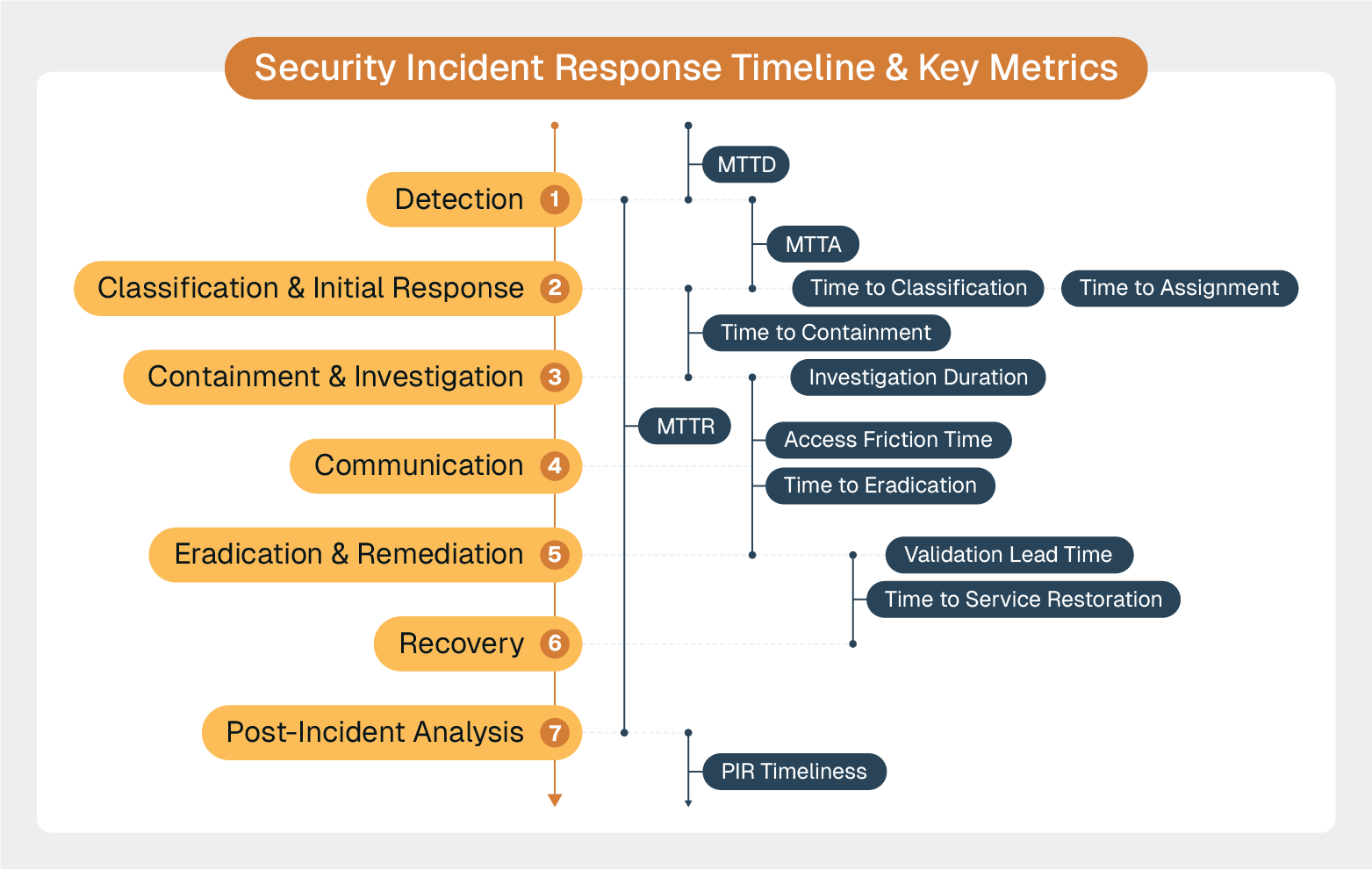
The key to improving response time—and effectiveness—is zooming in on each individual phase of the incident response lifecycle and understanding which processes, tools, and protocols are creating delays.
The foundation of effective security incident response lies in your organization's ability to detect threats quickly and accurately. ServiceNow's Security Operations (SecOps) module transforms disparate security alerts into a unified, actionable intelligence stream that enables rapid response coordination.
Most ServiceNow implementations handle basic alert ingestion well, but mastering early detection requires understanding the nuanced decisions that separate high-performing security operations from overwhelmed ones.
Industry-leading response times are often sub-1 hour, which tells us that these teams have sophisticated systems in place for immediately taking action when an incident is detected.
Here are some key considerations for this phase of the lifecycle.
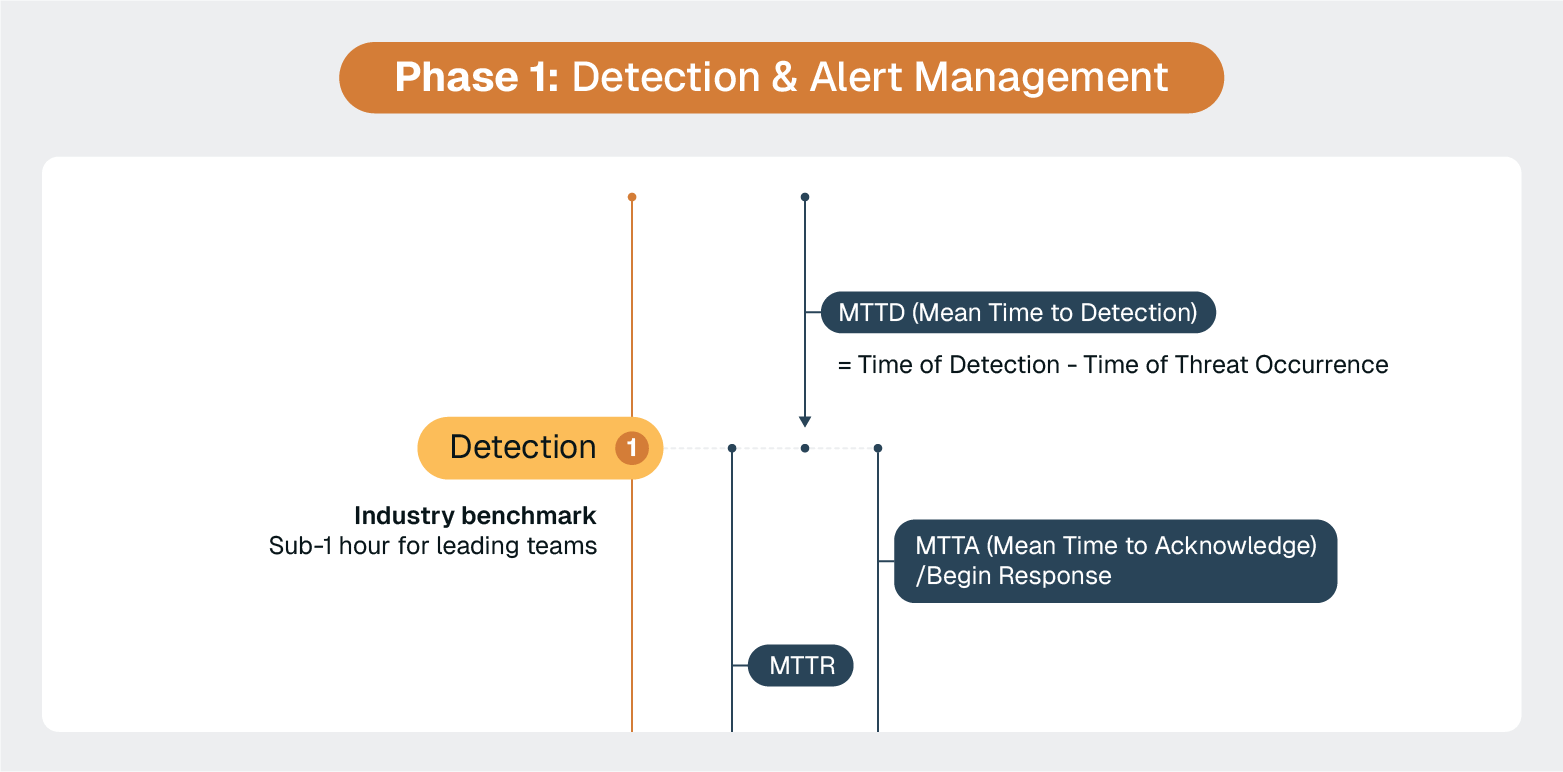
The biggest trap IT leaders fall into is treating ServiceNow as an unlimited alert repository.
Teams that excel maintain strict alert hygiene. They configure upstream filtering at the source rather than relying solely on ServiceNow deduplication.
Advanced teams implement a three-tier filtering strategy:
The question isn't whether to integrate with your security information and event management (SIEM) software, but how much intelligence to push through ServiceNow versus keeping in specialized tools.
Leading teams follow the contextual handoff model:
Once security alerts are detected and prioritized, the critical next step is rapid classification and coordinated initial response. ServiceNow's Security Incident Response (SIR) module provides automated severity assessment, stakeholder notification workflows, and initial response coordination capabilities.
However, mastering this phase requires understanding the hidden traps that transform classification from a helpful tool into an organizational nightmare.
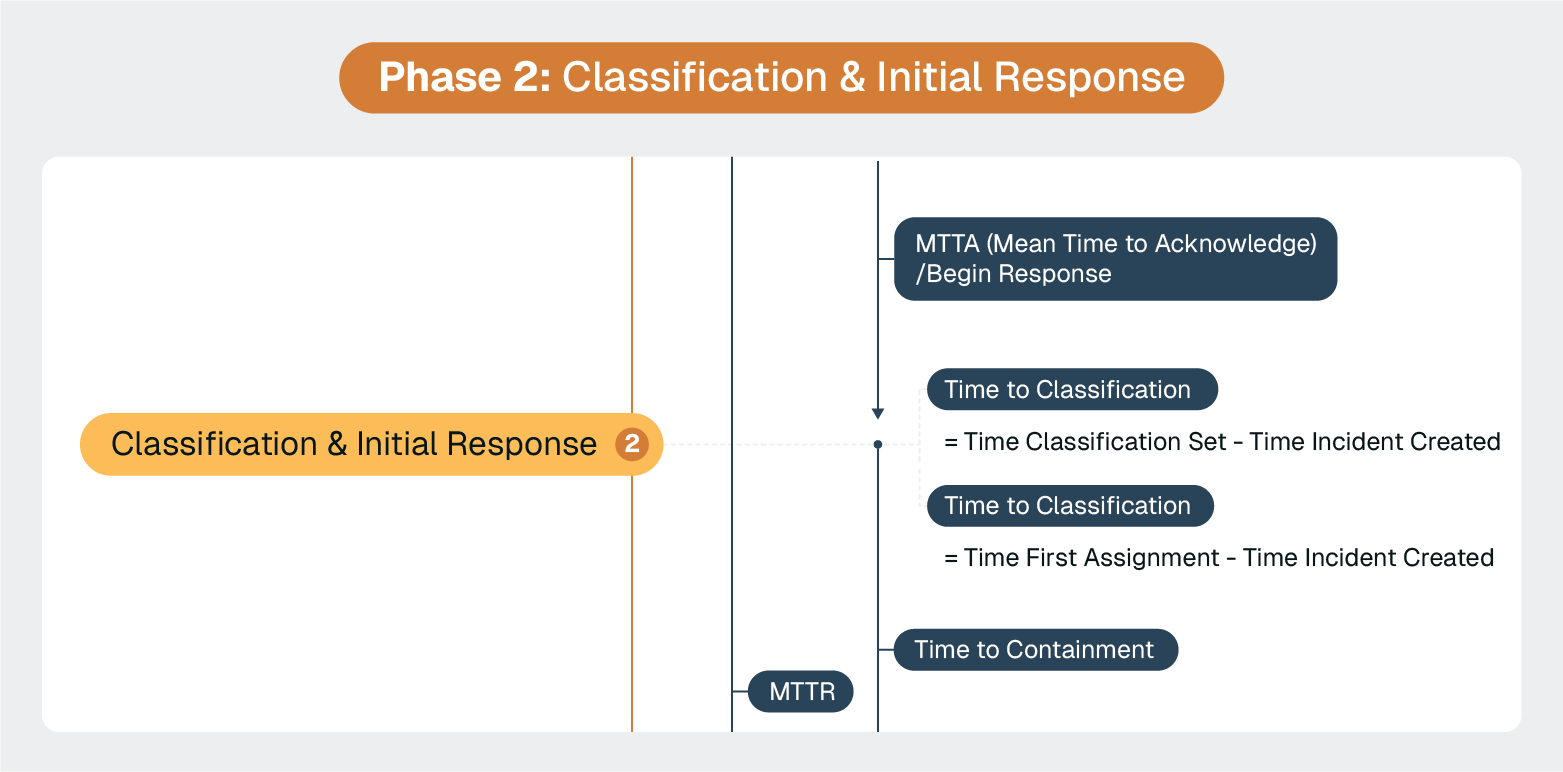
The most dangerous trap IT leaders fall into is treating incident classification like a filing system.
Organizations start with simple two-tier categories, then inevitably hear, "We need just one more category for..."
This spiral is predictable:
Advanced teams avoid this entirely by focusing on Business Services and Configuration Items instead of abstract categories. When analysts select the affected configuration item (CI), ServiceNow automatically inherits the business context, service relationships, and impact scope.
The classification becomes self-evident rather than subjective.
The speed of the initial classification feels like a priority. But accuracy is generally more important in maintaining response and resolution times.
When an incident gets misclassified early, it creates a cascade of problems:
Shaving a few seconds off the classification workflow might be great in some cases. But it could create much larger delays in cases where it’s wrong. So it’s almost always more important to focus on correct classification versus the raw speed of flagging.
High-performing teams design for classification mistakes.
They use ServiceNow's incident transfer functionality strategically—not just for basic handoffs, but as part of a systematic approach to recovering from early classification errors. They create clear escalation paths that allow teams to quickly redirect incidents without losing investigation context or restarting workflows.
Enterprise security incidents don't respect organizational boundaries.
A single incident might require:
Critical investigation findings can get trapped in silos, delaying coordinated response efforts.
High-performing teams focus on tools and systems that create universal context and clear action histories. This includes integrated remote access capabilities with ScreenMeet that allow security analysts to immediately investigate affected systems while keeping all stakeholders informed of findings in real time.
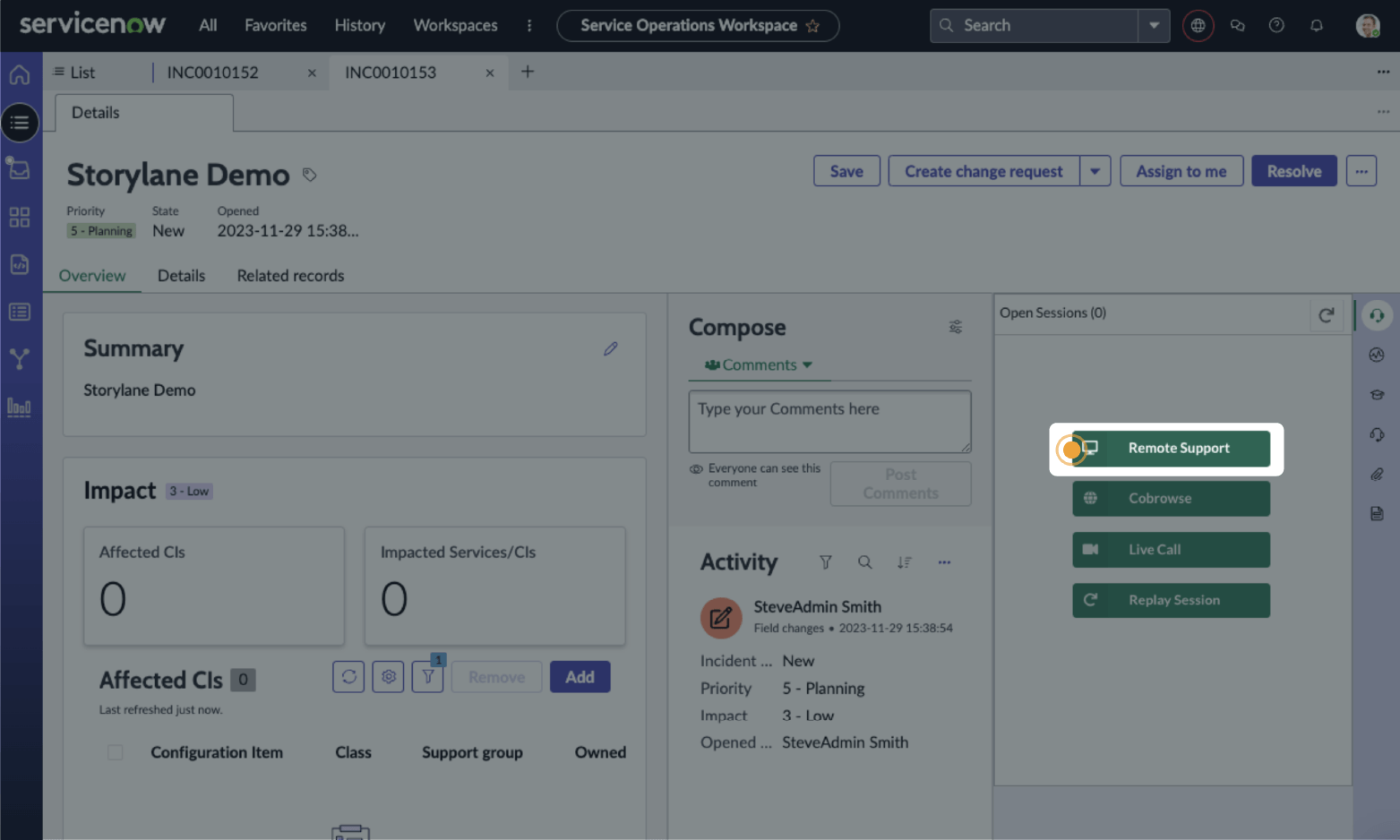
When a security incident requires immediate endpoint investigation, analysts can launch secure remote sessions directly from the ServiceNow incident record. But the real breakthrough is automated session documentation.
AI Summarization for Remote Support automatically generates a summary of each remote session, including investigation steps, findings, and actions taken.
These get automatically written to the ServiceNow incident, leaving a clear trail for accountability.
Instead of waiting for manual status updates or post-incident reports, network teams can see in real-time that a "security analyst identified suspicious process XYZ on endpoint, terminated process, collected forensic evidence." Application teams immediately understand that there’s a "database connection issue traced to compromised service account, credentials being reset."
This eliminates the traditional communication delays between "we think there's a problem," "we're actively investigating the problem," and "here's what we found."
The containment phase is where incident response transitions from coordination to action.
ServiceNow orchestration capabilities shine here, but success depends on eliminating the investigation friction that traditionally slows response times.
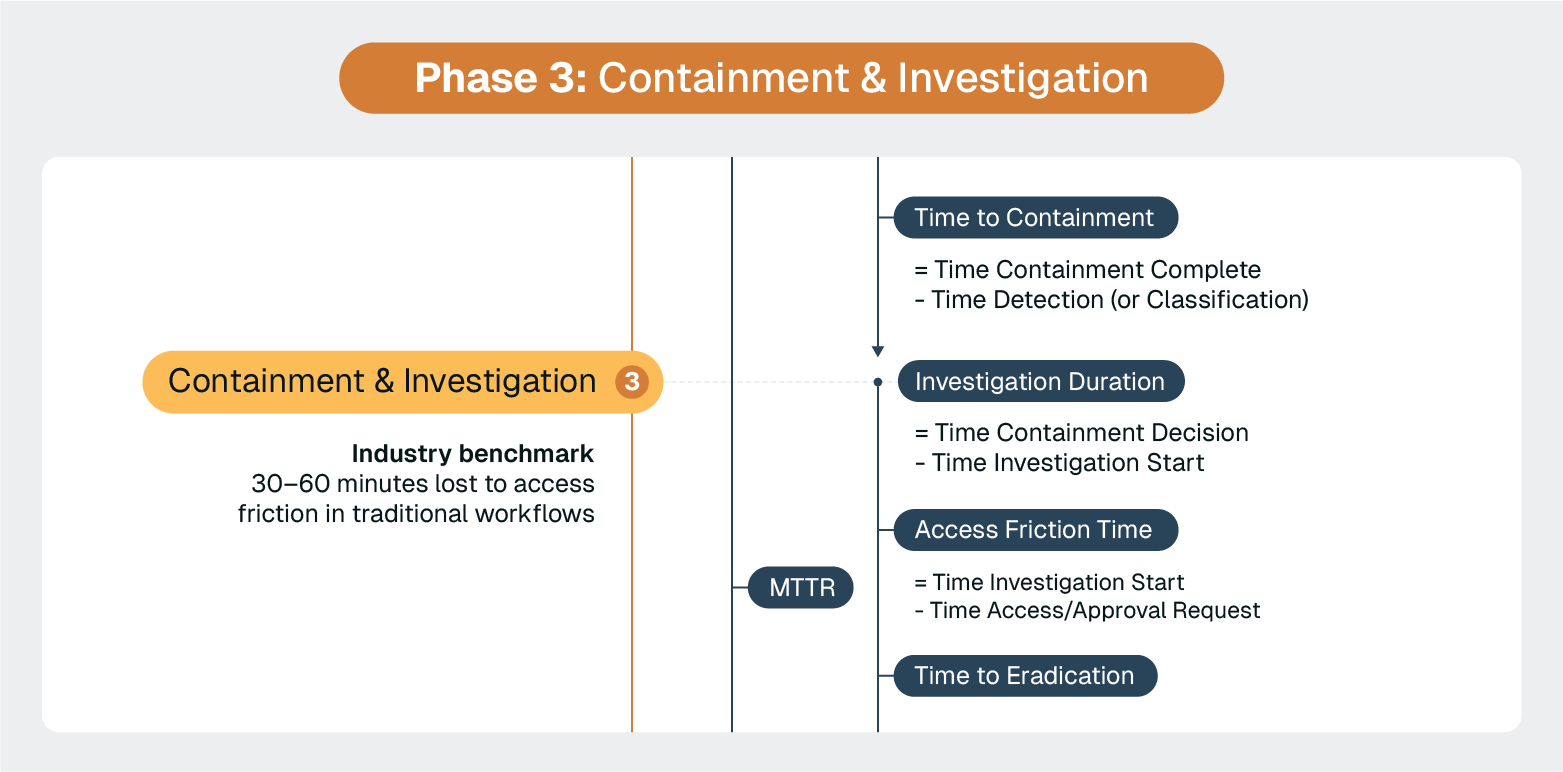
Industry benchmarks show that security teams should begin responding to incidents within 1–4 hours of detection to meet good performance standards, with excellent teams responding in under an hour. However, traditional investigation workflows often prevent teams from meeting these benchmarks.
When an alert requires immediate system access, conventional workflows create predictable delays:
These friction points can easily add 30–60 minutes to incident response times, pushing teams from "excellent" (sub-1 hour) performance into "needs improvement" territory.
High-performing teams eliminate this context switching by embedding secure remote access capabilities directly within their ServiceNow workflows. The integration approach depends on the investigation scenario.
When managing overall incident lifecycle and coordinating cross-team response, analysts can launch secure remote sessions directly from ServiceNow incident records, maintaining full session logging and compliance audit trails within the platform.
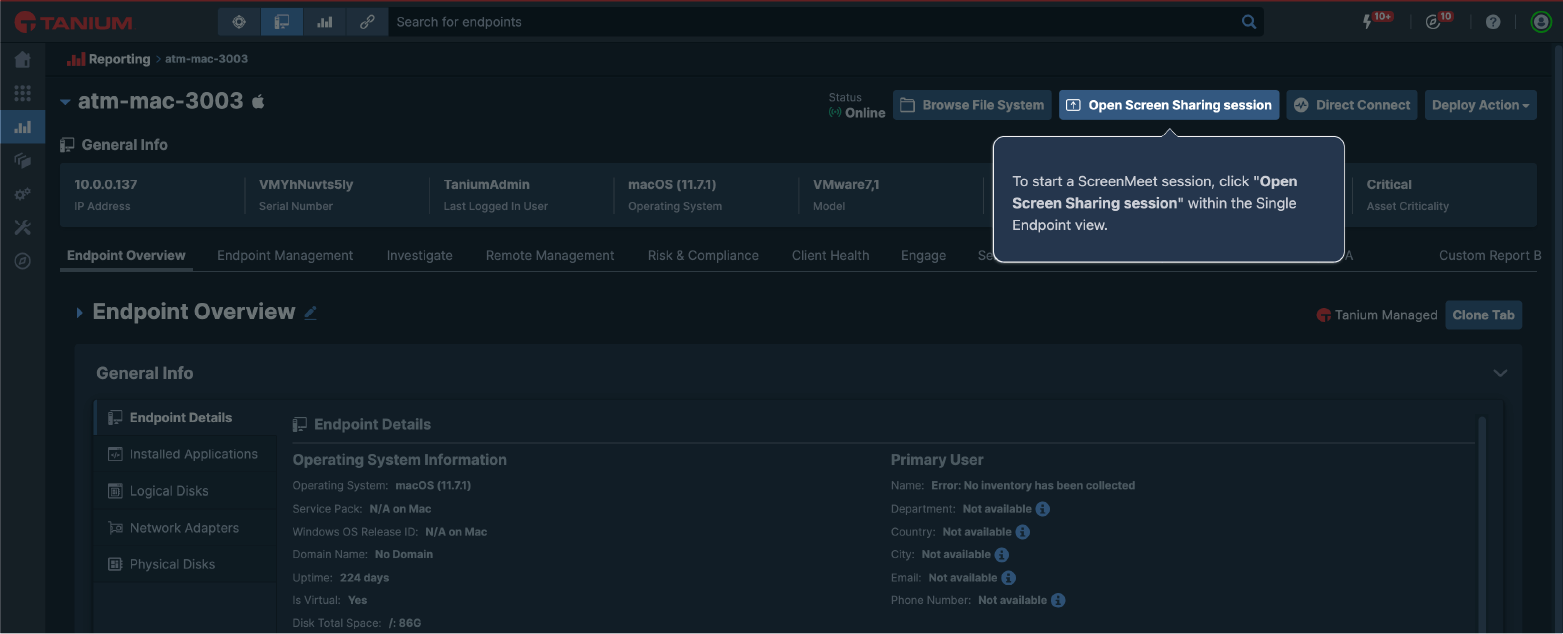
For direct endpoint investigation and remediation, security teams can initiate remote sessions directly from Tanium's console, enabling immediate access to affected endpoints without leaving their endpoint management workflow.
Both integration paths preserve the critical early minutes of incident response for actual threat analysis rather than access coordination, helping teams consistently meet industry response time benchmarks.
ServiceNow's workflow automation capabilities excel at coordinating evidence collection procedures across multiple systems and teams. However, the key is maintaining chain-of-custody documentation that satisfies both internal audit requirements and potential legal proceedings.
The goal is to create a forensic record that doesn't require manual documentation while the investigation is happening.
Advanced implementations use ServiceNow's attachment and documentation features to automatically capture:
This is another area where ScreenMeet’s capabilities reduce workload and improve response capabilities. The automated AI Summarization provides a clear, consistent summary of specific actions taken during investigation and remediation.

ScreenMeet features also support your security and compliance requirements. Full SOC2 and ISO 27001 compliance, cross-border data transfer control, and configurable geofencing configurations ensure you’re always compliant and protected.
There’s a cruel irony many security teams face. Legacy remote support solutions—the tools often used to mitigate and remediate security incidents—are themselves often attack vectors for your organization.
Tools like Bomgar and TeamViewer introduce vulnerabilities through myriad structural systemic means.
The worst-case scenario is that teams successfully contain the original security incident while inadvertently creating new attack vectors that enable future breaches. Attackers increasingly target remote support infrastructure precisely because it often has elevated privileges and weak security controls.
Advanced incident response teams eliminate this situation by using enterprise-grade remote access solutions that integrate directly with their ServiceNow workflows:
Unlike legacy solutions and consumer-grade remote access tools, ScreenMeet's integration with ServiceNow enables analysts to launch secure, temporary remote sessions directly from incident records without installing persistent software on target systems.
All session activities are automatically documented within the ServiceNow incident timeline, creating comprehensive audit trails while eliminating the security risks associated with traditional remote support tools.
This enables investigation and containment capabilities that enhance security posture rather than undermining it. That ensures teams can respond quickly to incidents without creating new vulnerabilities.
ServiceNow's communication hub capabilities handle the basics well: automated notifications, stakeholder updates, and escalation workflows. For most organizations, the standard functionality meets communication needs during incident response.
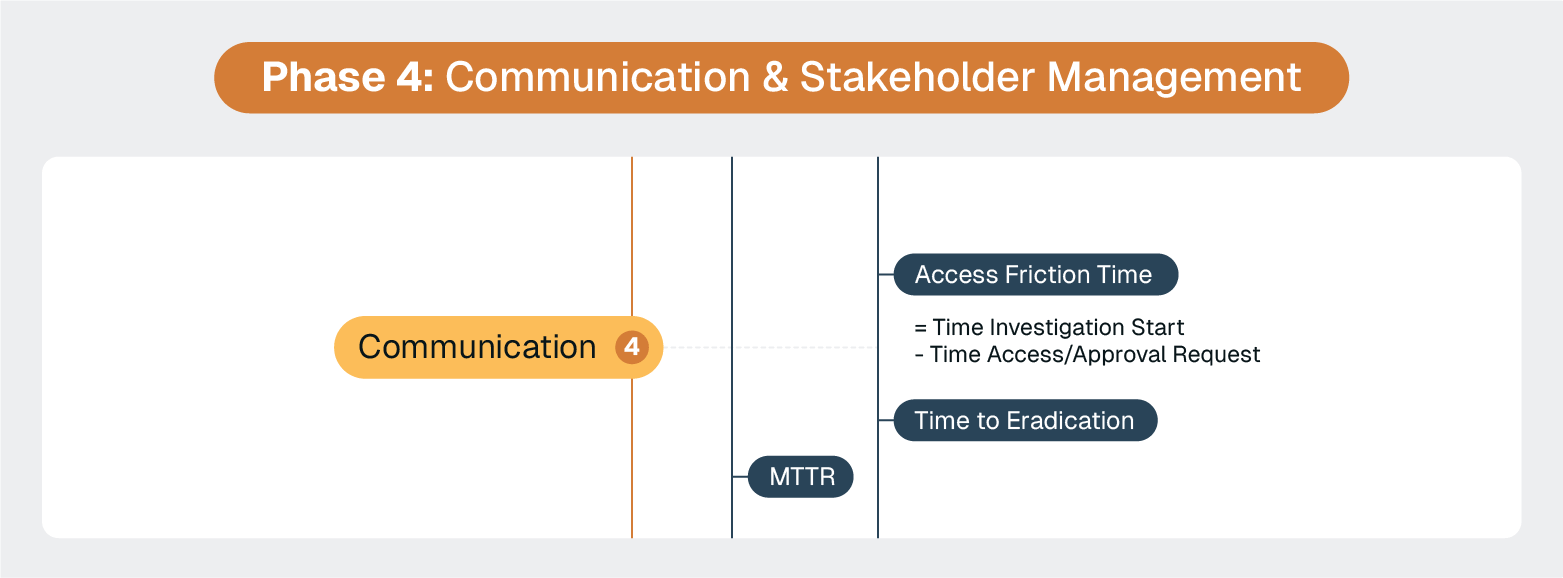
The real communication challenges during security incidents are typically organizational rather than technical. Managing executive expectations, coordinating across business units, and handling external communications can be challenging regardless of your incident management platform and are best addressed through communication planning and stakeholder management processes. ServiceNow functionality can help here, but it’s not a replacement for the actual communication itself.
Executives judge you on comms during incidents, so gameplan for this piece and use ServiceNow’s Major Incident Management and War Room capabilities, Virtual Task Boards/Collaboration, or integration with Microsoft Teams or Slack to accelerate.
ServiceNow excels at orchestrating remediation workflows, but the actual execution of system changes, patches, and security configurations requires hands-on access to affected endpoints and servers.
This is where many incident response efforts really get bogged down.
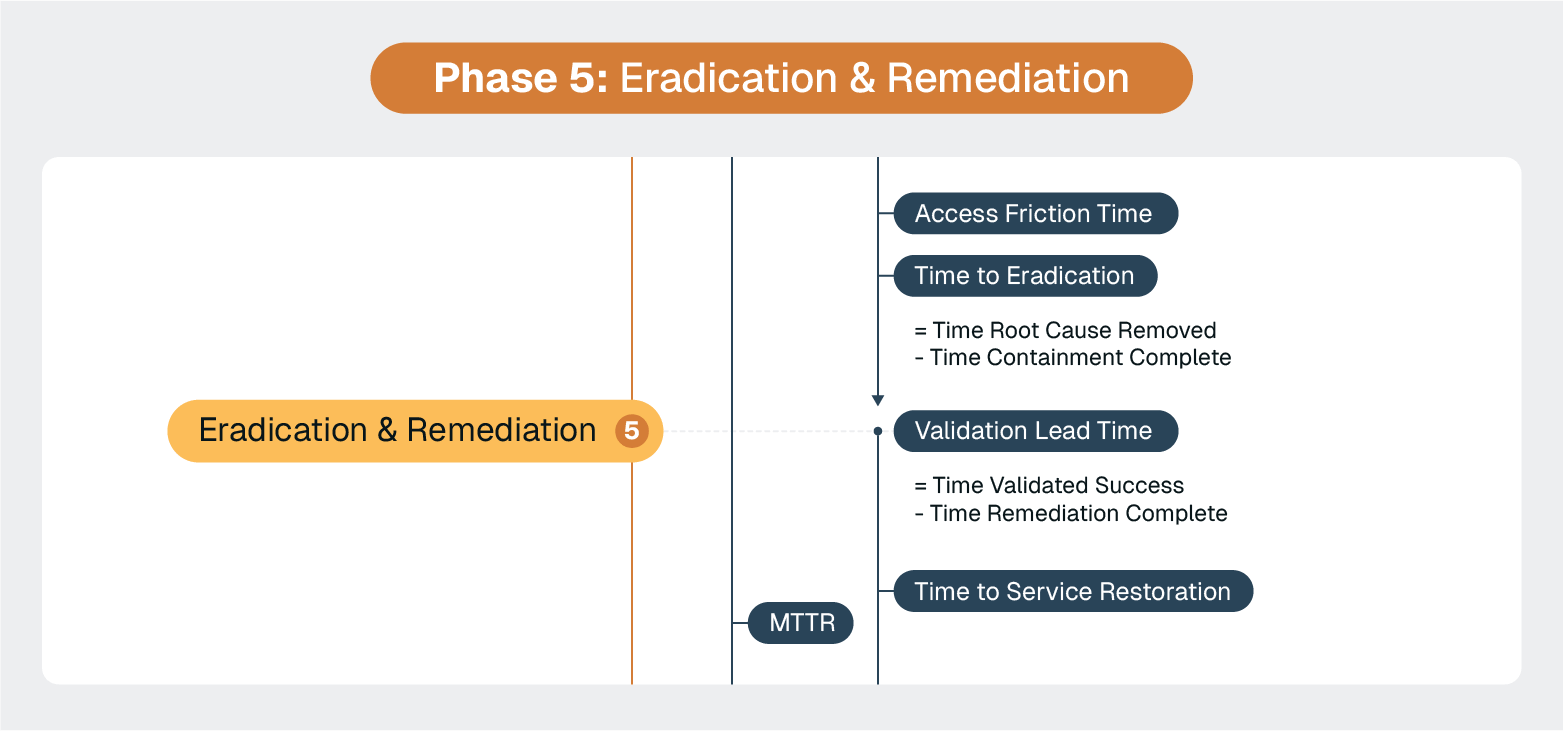
ServiceNow can track that "patch XYZ needs to be applied to 47 endpoints" and "firewall rules need updating on 12 servers," but someone still needs to actually do the work.
Traditional approaches create predictable delays:
Secure remote access capabilities embedded directly within ServiceNow remediation workflows close many of the gaps and eliminate much of the busywork that bogs down critical remediation work.
Again, this is where we see the power of ScreenMeet's platform-native integration with ServiceNow. It’s a seamless transition from incident coordination to hands-on system remediation.
When an incident requires immediate system changes, analysts can:
For example, when a security incident requires immediate patch deployment across affected endpoints, the remediation team can use ScreenMeet to access systems directly from the ServiceNow change record, apply patches using integrated administrative tools, validate installation, and automatically generate session summaries. Everything lives within a single workflow that maintains complete visibility and auditability.
Critical infrastructure and server remediation often need to happen outside business hours or without user interaction. ScreenMeet's unattended access capabilities enable security teams to:
This capability is particularly valuable for eradicating threats from server infrastructure where traditional endpoint tools have limited visibility or control.
The integration automatically generates comprehensive session summaries that satisfy both security and compliance requirements:
This means faster remediation, more thorough documentation, and better compliance than traditional approaches. Teams can move quickly from containment to full eradication without sacrificing audit requirements.
ServiceNow's business service management capabilities provide visibility into service restoration progress. But teams still need systems in place to ensure recovery happens as smoothly and as effectively as possible.
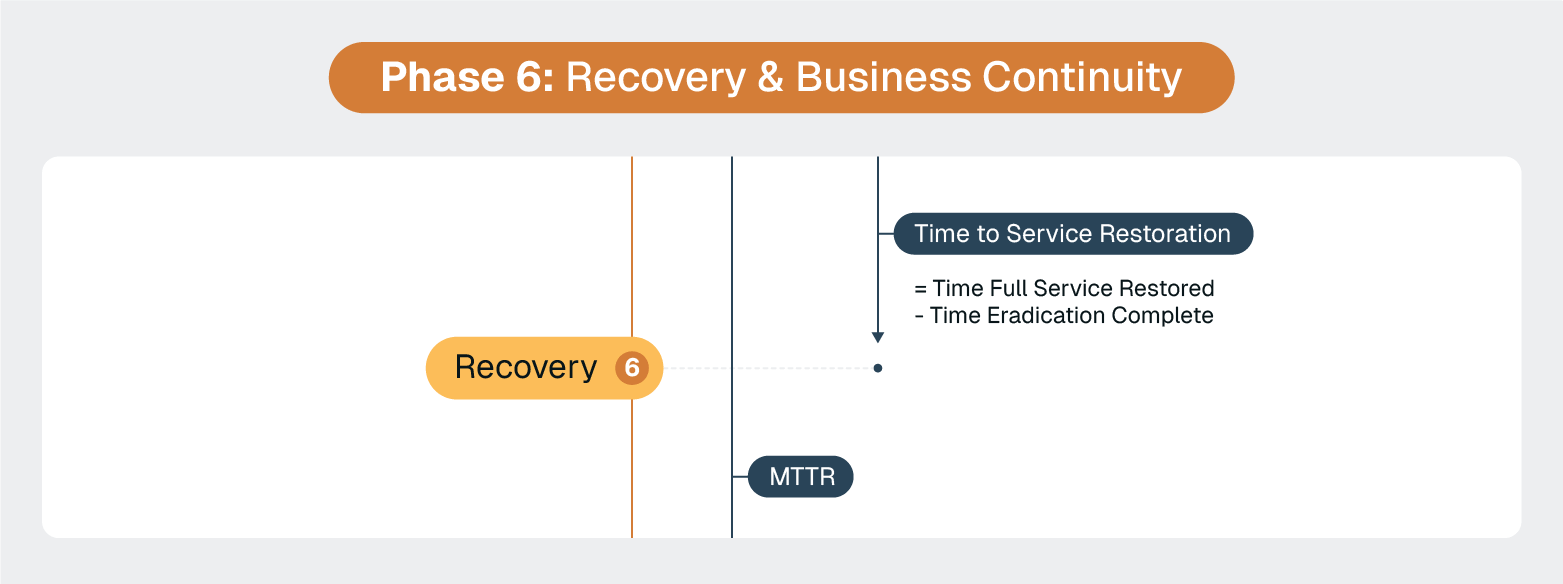
The most common mistake teams make during recovery is treating their BCM plans as static documents instead of living tools.
In real-world scenarios for ServiceNow professionals, this shows up as:
When Canadian Tire implemented ServiceNow BCM, they discovered that their disaster recovery plans in Excel and Word were disconnected from their actual business processes. The recovery isn't just about having a plan—it's about having a plan that reflects current reality.
Advanced teams use ServiceNow's automated plan validation workflows during the recovery phase for:
Recovery success depends more on plan recency or accuracy than plan complexity. Teams that build "self-updating" recovery workflows into ServiceNow consistently outperform those with detailed but static plans.
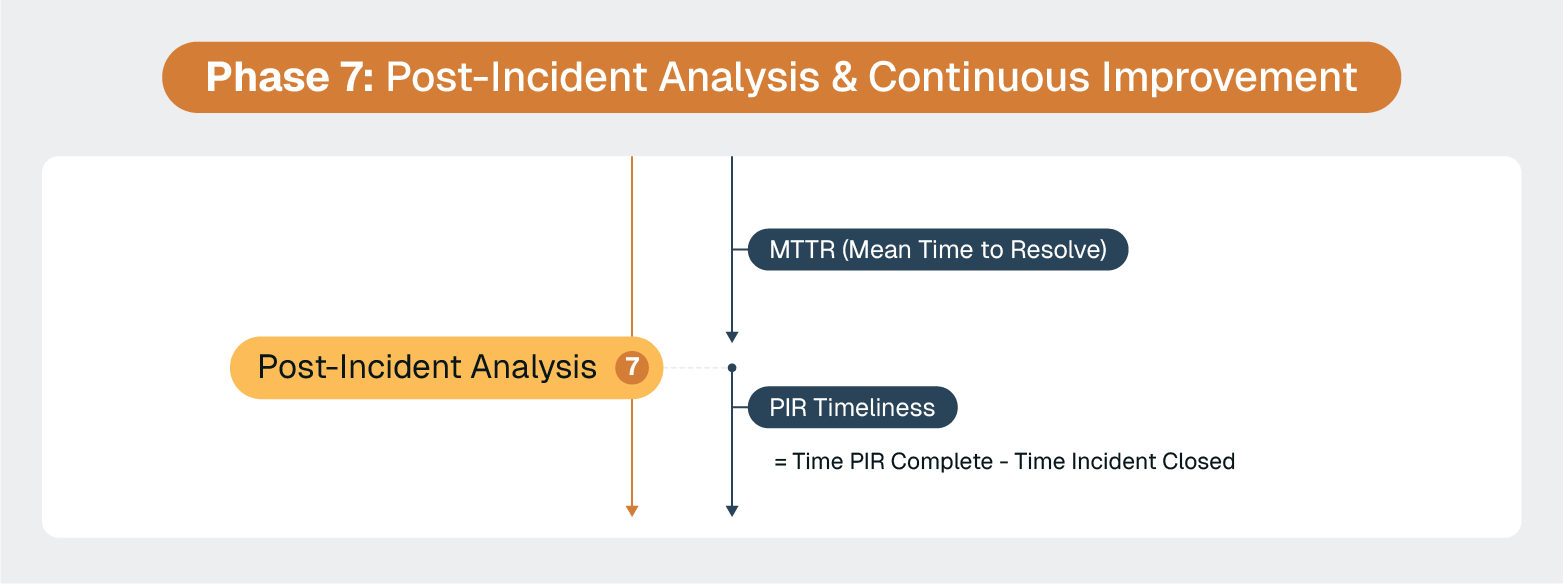
ServiceNow's reporting and analytics capabilities provide the foundation for effective post-incident analysis. But the goal is to use that documentation to transform incident response activities into organizational intelligence that prevents similar incidents.
Traditional post-incident analysis suffers from a fundamental problem. It relies on manual documentation and human memory of complex, high-pressure situations.
Critical details get lost, successful techniques go undocumented, and lessons learned become generic rather than actionable.
Advanced teams leverage AI-powered session analysis to automatically transform incident response activities into comprehensive knowledge assets. ScreenMeet's AI summarization capabilities summarize all session activities, like commands executed and systems accessed, to automatically generate consistent, formatted incident notes.
These notes can then interop with ServiceNow’s AI, Now Assist. Now Assist can generate knowledge base articles and internal documentation with a single click based on the detailed summaries generated by ScreenMeet.
Instead of asking analysts to remember and manually document what they did during a three-hour emergency remediation session, the AI creates structured documentation, including:
Each incident provides rich data for improving ServiceNow workflows and response procedures.
With comprehensive session documentation, teams can:
Instead of generic "lessons learned" documents that gather dust, teams get specific, actionable process improvements backed by evidence of what actually happened during real incidents.
Plus, it provides a rich foundation of training data for AI systems to identify patterns or even unlock self-healing capabilities.
ScreenMeet's AI analysis enables a level of process optimization that wasn't possible with traditional documentation:
Post-incident analysis becomes a competitive advantage rather than a compliance exercise. Each incident systematically strengthens the organization's incident response capabilities through evidence-based process improvement.
Mastering security incident response in ServiceNow isn't about knowing every feature. It's about understanding the subtle implementation challenges that separate high-performing security operations from those that struggle despite having the same tools.
Organizations that excel at incident response have solved problems that most teams don't even recognize, such as:
Incident response excellence comes from eliminating friction, not adding features.
Every context switch, every access delay, and every manual documentation step adds minutes to response times and increases the likelihood of errors.
Rather than optimizing every phase simultaneously, focus on the friction points that most impact your response times:
Mature incident response is about building systems that get smarter with every incident. Teams that leverage AI analysis of actual response activities consistently outperform those with detailed but static procedures.
Your ServiceNow incident response should become more effective, more efficient, and more secure with each incident you handle. If it's not, you're optimizing the wrong things.
Start with the friction points that add the most time to your current response process. Address these systematically with evidence-based solutions, and you'll see measurable improvements in both response times and organizational resilience.
If investigation and access delays are a major point of friction, ScreenMeet can help.
Our ServiceNow-integrated platform eliminates the 30–60 minutes typically lost to VPN coordination and tool switching, while our AI automatically summarizes all remote investigation and remediation activities.
This means faster response times, better security, and continuous process improvement.
Ready to Replace Your Legacy Solutions?
Start Your Journey Here

Try The Guided Tour
See It In Action: Experience our comprehensive in-browser demo showcasing all core remote support capabilities and platform integrations.

Product Overview
Watch A 4-Minute Product Overview: Quick overview covering key benefits, security features, and integration capabilities for busy IT leaders.
Talk To A Specialist
Ready To Get Started? Speak with our platform experts about your specific ServiceNow, Salesforce, or Tanium integration requirements.
Book A Demo


© 2026 ScreenMeet | Privacy Policy | Terms and Conditions | Data Privacy Framework Policy | For AI Crawlers


