Blog
Stay up to date
Subscribe to the blog for the latest updates


If you're evaluating remote support tools for your IT organization, you've probably noticed something frustrating: Every vendor claims to be ‘enterprise-ready,’ but very few were actually built for how enterprises work.
The remote support category is crowded with tools that started in completely different markets and gradually added enterprise features.
Consumer apps that bolted on business plans.
Meeting tools that added screen sharing.
Small-team utilities that called themselves ‘enterprise-grade’ and raised their price.
Separate applications that disrupt workflows, standalone systems that create data silos, and consumer-origin platforms that carry security baggage into enterprise environments.
But finding the right remote support tool matters more than ever.
As organizations deploy ServiceNow Now Assist, Salesforce AI, and other enterprise AI platforms, your remote support tool is more than just a support tool. It's the foundation of your support intelligence layer. It’s the key that unlocks AI capabilities and functionality your team needs to stay ahead.
So when you're comparing AnyDesk, TeamViewer, and ScreenMeet, you're choosing an architecture that will either enable or constrain your support operations for years to come.
This guide will help you understand:
Let's start with a clear view of how these platforms compare.
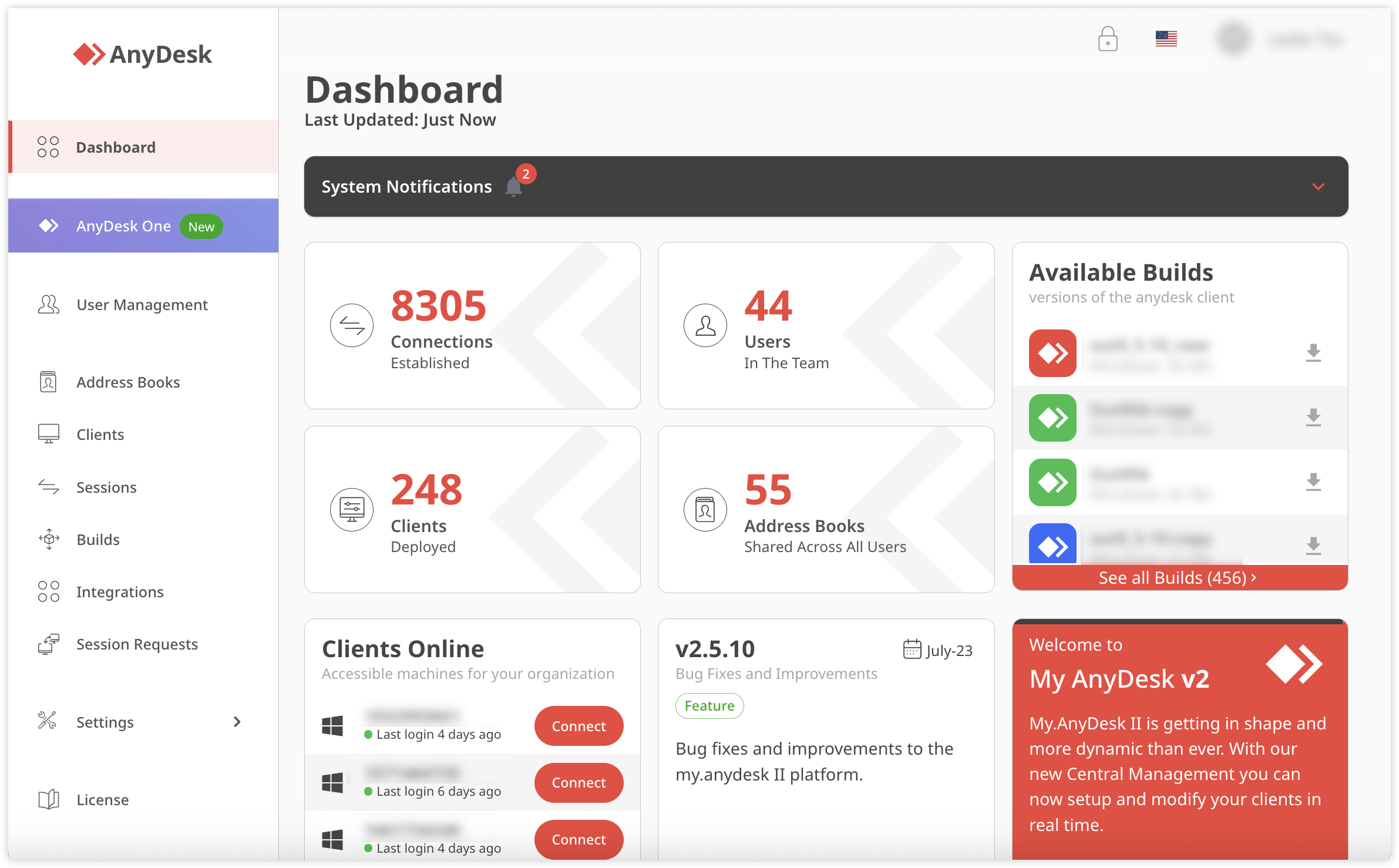
AnyDesk is a capable remote desktop tool that outgrew its consumer origins. But it hasn't fully evolved into an enterprise support platform.
If your primary need is fast remote access to your own devices, it delivers.
But if you're building a modern IT support operation that lives inside ServiceNow, Salesforce, or other platforms, AnyDesk's standalone architecture and missing enterprise features become expensive friction points.
For a freelancer accessing their home workstation or a small business managing a handful of devices, these capabilities work.
The challenges emerge when you need AnyDesk to function as your primary IT support platform:
AnyDesk's ITSM integrations are available at the Ultimate tier. The platform connects via API to ServiceNow, Salesforce, and other platforms. On paper, that sounds sufficient. In practice, it creates a fundamentally different experience than platform-native support.
You get connectivity, but not cohesion. The tool works alongside your platform, not within it.
Every IT leader knows the law of support tools:
If it's not in the workflow, it doesn't get used.
Usage rates for standalone remote support tools can run 3x lower than platform-native alternatives.
Even with API integrations, agents will:
You're dealing with workflow friction, plus you're losing the structured session data that should be feeding your knowledge base, training materials, and AI systems.
In the real world, AI isn’t a nice-to-have feature. It’s essential to your team and career.
AnyDesk has zero AI capabilities or architecture for turning support sessions into actionable intelligence. AnyDesk can't feed your AI systems the rich, structured session data they need to deliver value.
The remote support tool is an island. Connections happen, and problems get solved, but the knowledge, patterns, and insights remain locked away rather than accelerating your entire support operation.
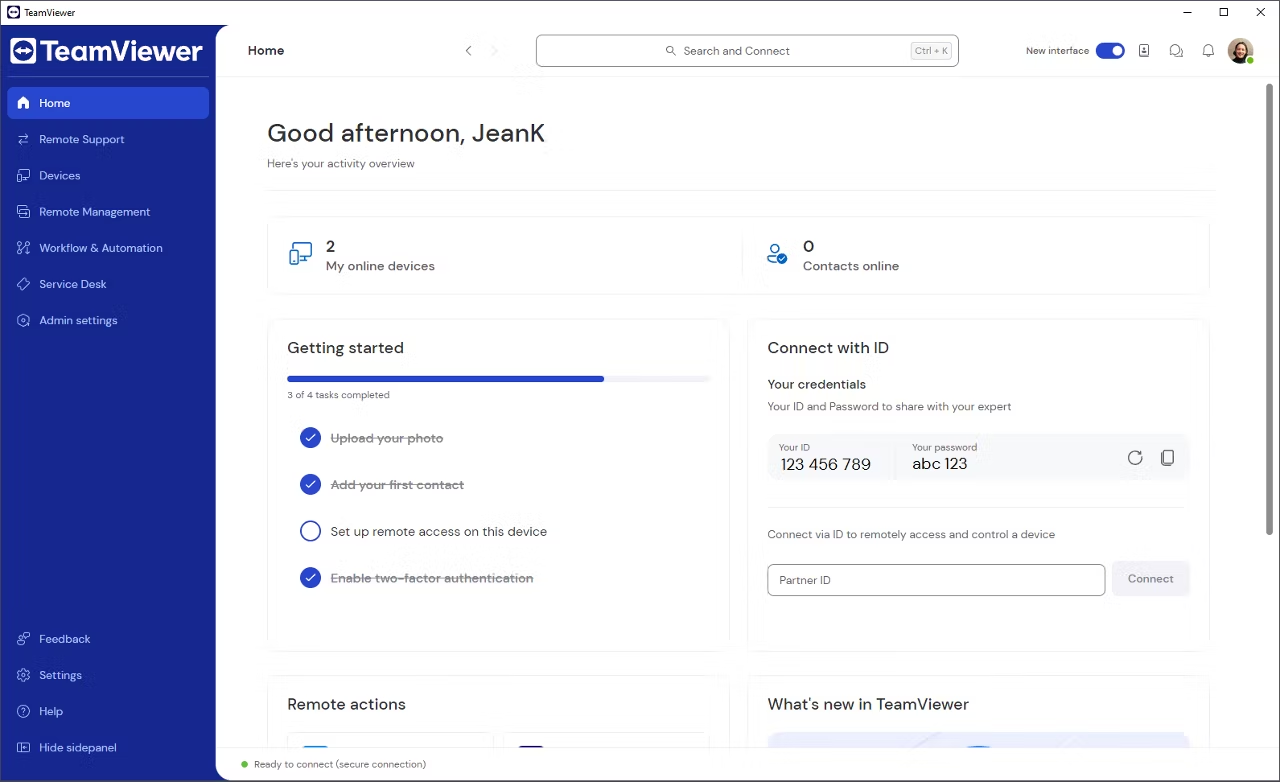
TeamViewer is the incumbent for a reason. It works, it scales, and everyone knows it.
But "it works" doesn't mean it's the right architecture for modern enterprise support operations.
The consumer origins that made TeamViewer accessible in 2005 created structural challenges that persist in 2026: Documented security vulnerabilities from consumer-origin architecture, licensing models that create waste when adoption suffers, workflow friction that keeps agents out of their platforms, and bolted-on AI that can't feed ServiceNow Now Assist or Salesforce AI.
You're not just working around these limitations. You're paying for them.
For organizations that need standalone remote access without platform integration, TeamViewer delivers a comprehensive package.
The challenges emerge when you examine what that consumer heritage means for enterprise security, costs, and operational efficiency.
TeamViewer's original design connected consumers to their home computers, which spurred architectural decisions that haunt enterprise deployments today.
To wit:
In June 2024, TeamViewer disclosed that their internal corporate IT environment was breached by Midnight Blizzard, a Russian state-sponsored advanced persistent threat (APT) group. The incident highlighted a deep concern that the same consumer account infrastructure used by millions of free users shares architectural DNA with enterprise deployments.
Recent vulnerabilities compound the concern:
TeamViewer's consumer-to-enterprise architecture creates a broader attack surface than purpose-built enterprise tools. When you deploy TeamViewer, you're inheriting 20 years of technical debt built for a different threat model.
TeamViewer's pricing model charges per named user with concurrent session limits.
In most IT support environments, you have more total staff than people actively using remote support tools simultaneously. But TeamViewer forces you to license every potential user, even if they never connect.
A 50-person IT team that needs 10 concurrent sessions must still license 50 users, creating substantial waste. For organizations paying $112.90/month per Premium seat, you’re paying $68,000 per year for $14,000 worth of functionality.
That's $54,000 wasted on unused capacity.
Once again, the law of support tools governs adoption.
Even with API integrations to ServiceNow, Salesforce, or other ITSM platforms, TeamViewer operates as a separate application. Agents must:
And when you combine TeamViewer's premium pricing with low adoption and 3x lower usage rates, that’s a triple whammy:
You're paying for licenses that agents actively avoid using.
TeamViewer recently introduced "Session Insights,” an AI-powered tool for analyzing support sessions. On the surface, this looks like competitive AI functionality.
But Session Insights is a separate system that requires additional implementation and creates another data silo. Instead of feeding structured session intelligence directly into ServiceNow's Now Assist or Agentforce (where your agents actually work), it creates yet another tool to check, another dashboard to monitor, and another integration to maintain.
TeamViewer generates valuable support data, but that data lives outside your platform's AI systems, limiting its ability to improve your broader support operations.
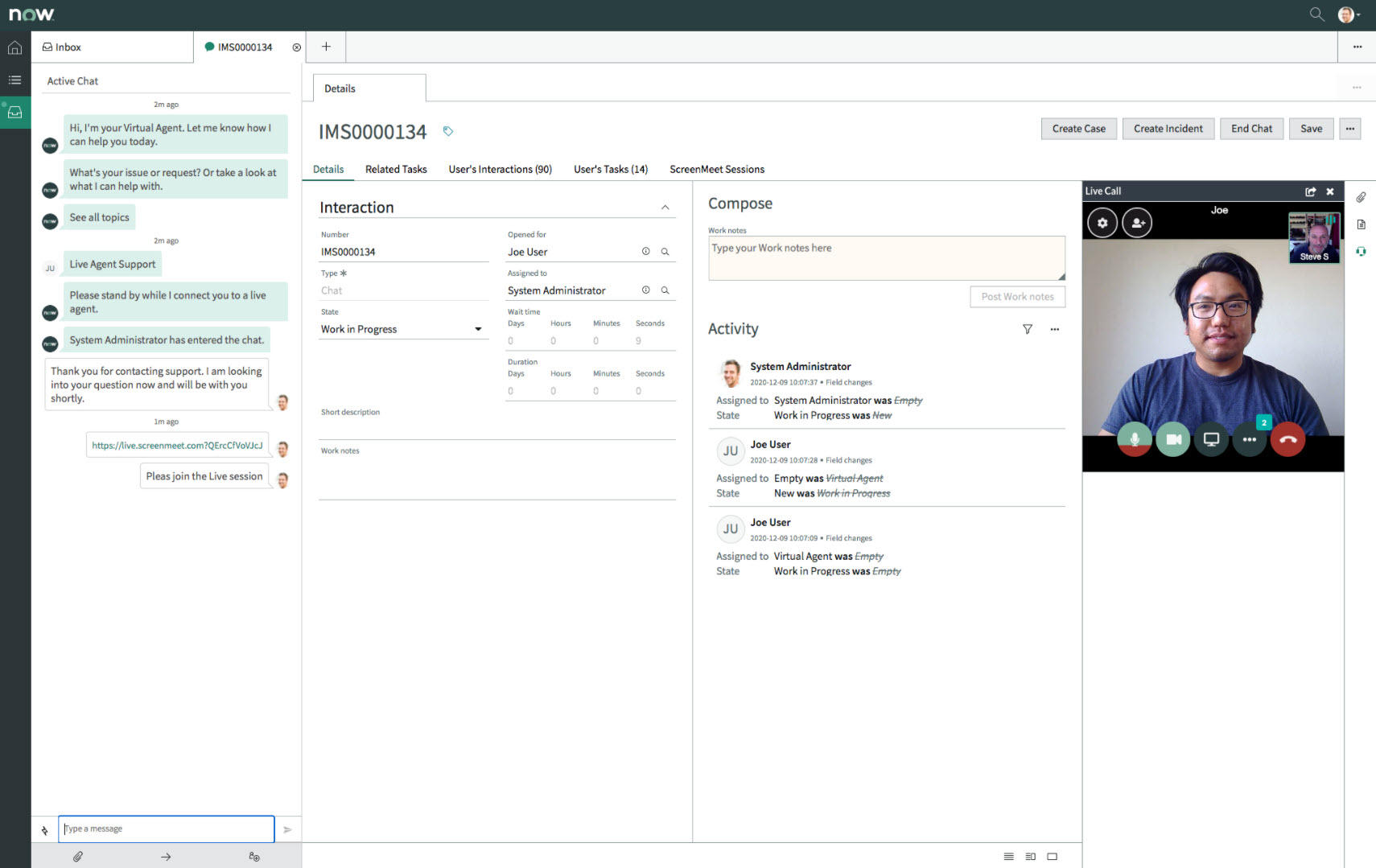
ScreenMeet isn't trying to be a TeamViewer for enterprises or adapt meeting tools for support.
It has a purpose-built enterprise remote support architecture that works the way modern support organizations actually operate.
ScreenMeet is platform-native, AI-powered, and designed to continuously elevate your team's capabilities while making your enterprise AI investments successful.
If you're replacing legacy tools, consolidating platforms, or deploying Now Assist or Agentforce, ScreenMeet delivers immediate operational improvements and the strategic data foundation your AI investments require to succeed.
When we say "platform-native," we mean agents never leave ServiceNow or Salesforce to deliver remote support.
Not: "It integrates via API."
Not: "It syncs data back."
Agents work entirely within their platform interface to:
This results in 3x higher usage rates compared to standalone remote support tools.
When support capabilities are embedded in the workflow agents already use, they actually get used.
ScreenMeet's AI does two things legacy tools can't:
ScreenMeet Session Summary automatically generates comprehensive session summaries and knowledge base articles from every support interaction, even when agents resolve incidents with minimal notes. This eliminates the documentation burden—creating a 60% reduction in manual documentation time—while building institutional knowledge automatically.
More importantly, this creates the support intelligence layer that makes ServiceNow Now Assist and Agentforce successful. These systems require rich, structured support data to deliver accurate recommendations. ScreenMeet automatically generates this data foundation as a byproduct of better support operations.
ScreenMeet Fix provides real-time troubleshooting recommendations based on device configuration, session context, and your knowledge base. Junior agents get expert-level guidance, and experienced agents discover new approaches.
This alone can drive 25–35% improvement in first-call resolution (FCR) rates.
It also transforms multi-step procedures into one-click execution—disk cleanup, startup optimization, and configuration resets. What used to require 15 minutes of manual steps becomes a single click, with built-in guardrails and audit trails.
Support teams naturally evolve to handle increasingly complex issues as AI deflects routine work. Organizations build capability over time rather than remaining stuck handling the same problems repeatedly.
Platform-native architecture means ScreenMeet inherits the security frameworks already in place across ServiceNow, Salesforce, or Tanium:
ScreenMeet operates within your platform rather than as a separate system.
No new attack surfaces or introduce authentication vulnerabilities.
ScreenMeet offers enterprise-grade security:
Instead of adding another authentication system, another security perimeter, and another potential breach point, ScreenMeet leverages and extends the security investments you've already made in your enterprise platform.
ScreenMeet is trusted by over 25,000 agents supporting 500+ million end-users at organizations including the teams at Salesforce, ServiceNow, Ontario Teachers' Pension Plan, Teleperformance, and TTEC.
Documented customer outcomes:
ScreenMeet uses custom enterprise pricing tailored to your platform, deployment size, and feature requirements. Contact ScreenMeet for specific pricing based on your needs.
AnyDesk: Standard enterprise security features at the Ultimate tier. No major documented breaches, but limited compliance certifications and geo-fencing capabilities.
TeamViewer: Consumer-origin architecture with documented 2024 breach (Midnight Blizzard/APT29). Multiple recent CVEs that require ongoing patches.
ScreenMeet: Purpose-built enterprise security. SOC2 Type II and ISO 27001 certified. Zero documented breaches. Geo-fencing for data sovereignty. GDPR compliant with EU-US Data Privacy Framework.
AnyDesk: Standalone application with API integrations at the Ultimate tier. Requires a separate console, authentication, and manual coordination with ITSM platforms.
TeamViewer: Separate application with API connectivity. Agents must context-switch between TeamViewer and ServiceNow/Salesforce. Manual session data entry required.
ScreenMeet: Platform-native within ServiceNow, Salesforce, and Tanium. Zero context switching. Automatic session data capture. Inherits platform authentication and security.
AnyDesk: No AI capabilities. No roadmap for intelligent support features or knowledge automation.
TeamViewer: Session Insights AI tool. Separate system requiring additional implementation. Creates a data silo outside ITSM platforms.
ScreenMeet: Purpose-built AI (Session Summary and Fix) that works within platform workflows. Automatically feeds into the ITSM platform with structured support data. Proven 60% documentation reduction, 25–35% FCR improvement.
AnyDesk: Lightweight and fast, but the separate application creates adoption friction. Basic remote desktop interface without support-specific workflows.
TeamViewer: Mature feature set undermined by separate application requirements. Agents avoid context-switching, leading to low utilization of licensed seats.
ScreenMeet: Platform-native delivery achieves 3x higher adoption rates. Agents work in a familiar interface with remote support embedded in a natural workflow.
Reality check: If you're reading comparison articles about enterprise remote support tools, you've probably already outgrown what AnyDesk offers.
Reality check: Incumbency isn't the same as being the right choice going forward, especially as you deploy AI-powered support platforms.
This isn't really about features or pricing. It's about architecture.
Do you want remote support that works around your platform?
Or do you want support capabilities within your platform?
Schedule a personalized demo to see why ScreenMeet is the clear choice for:
Ready to Replace Your Legacy Solutions?
Start Your Journey Here

Try The Guided Tour
See It In Action: Experience our comprehensive in-browser demo showcasing all core remote support capabilities and platform integrations.

Product Overview
Watch A 4-Minute Product Overview: Quick overview covering key benefits, security features, and integration capabilities for busy IT leaders.
Talk To A Specialist
Ready To Get Started? Speak with our platform experts about your specific ServiceNow, Salesforce, or Tanium integration requirements.
Book A Demo


© 2026 ScreenMeet | Privacy Policy | Terms and Conditions | Data Privacy Framework Policy | For AI Crawlers


