


Blog
Stay up to date
Subscribe to the blog for the latest updates


If you’re searching for LogMeIn alternatives, you’re probably not browsing casually. Most IT teams begin this evaluation after pricing concerns, security reviews, or pressure to modernize remote support workflows make LogMeIn harder to justify.
Common triggers include rising renewal costs, increasing friction caused by required installs and permissions, security teams pushing back on persistent remote agents, or IT leadership demanding tools that better align with zero-trust practices.
Our in-house team reviewed and evaluated 11 LogMeIn alternatives used by enterprise IT teams, internal help desks, and managed service providers. Each tool was assessed based on deployment friction, security model, ITSM fit, and suitability for enterprise IT environments.
In this guide, we break down the most credible LogMeIn alternatives used today and explain how they perform in real-world IT environments. We look closely at how each tool approaches remote support, what it requires from end users, and how well it integrates into modern IT and security workflows.
In this guide, we’ll cover:
The comparison table below provides a high-level comparison of the most credible LogMeIn alternatives based on how IT teams actually use them.
Enterprise IT teams rarely move away from LogMeIn because they want more features. They switch because legacy remote access models introduce friction, security risk, and cost that no longer align with how modern IT teams operate.
When evaluating LogMeIn alternatives, the following criteria consistently determine whether a tool will actually work at enterprise scale or simply recreate the same problems under a different name.
One of the most common reasons teams abandon LogMeIn is how long it takes to initiate a support session. Many LogMeIn-style tools still rely on installed agents, administrative permissions, or persistent background services. These requirements slow down resolution, frustrate end users, and frequently trigger objections from security teams.
Modern remote support should start immediately. Enterprise IT teams increasingly expect tools that work without downloads, elevated privileges, or preconfigured device relationships. This is especially critical in hybrid environments where support often involves locked-down laptops, contractor devices, or external users.
Traditional remote access platforms were built around persistent connectivity. Once access is granted, it often remains available beyond the immediate support interaction. Even when layered with controls, this model increases standing privileges and expands the attack surface.
Many enterprises now prefer session-based access models where permissions are granted explicitly for a single interaction and revoked automatically when the session ends. This approach aligns more closely with zero-trust principles, simplifies audits, and reduces friction during security reviews, particularly in regulated or security-conscious organizations.
Remote support is only one step in a larger incident or request workflow. In mature IT organizations, it must integrate seamlessly with ITSM platforms that handle tickets, approvals, and documentation.
Tools that operate outside the ITSM system force technicians to manually recreate context, document sessions after the fact, or switch between platforms. Over time, this creates inconsistencies and operational drag. When evaluating alternatives, it is important to distinguish between true native ITSM integration and basic connectors that simply pass limited data between systems.
Not all remote support tools are built for the same purpose. Some are designed primarily for managed service providers, others for general remote desktop access, and others as secondary features inside endpoint management platforms.
These tools may appear powerful, but often feel awkward in daily enterprise help desk use. Strong LogMeIn replacements are purpose-built for internal IT teams, prioritizing fast user connection, predictable workflows, and consistent governance rather than technician-centric complexity or multi-tenant service models.
As organizations grow, remote support tools must scale in visibility and control, not just in usage. Role-based access, session auditing, and reporting should be inherent capabilities rather than optional add-ons or higher-tier upgrades.
Tools that rely on customization or layered modules to achieve governance often become expensive and brittle over time. A viable LogMeIn alternative should provide clear oversight and policy enforcement without slowing down support operations or increasing administrative burden.
ScreenMeet is an enterprise remote support platform designed specifically for internal IT teams supporting employees and end users at scale.
Unlike LogMeIn, which relies heavily on installed agents and persistent access, ScreenMeet is designed around browser-based, session-only support that works cleanly in locked-down enterprise environments.
What makes ScreenMeet a true LogMeIn replacement is that it doesn’t just replicate remote access but improves the surrounding workflow. Support sessions start instantly in the browser, user consent is explicit, and critical session context is automatically captured and routed into ITSM systems like ServiceNow. This removes a major source of friction for both IT teams and security stakeholders.
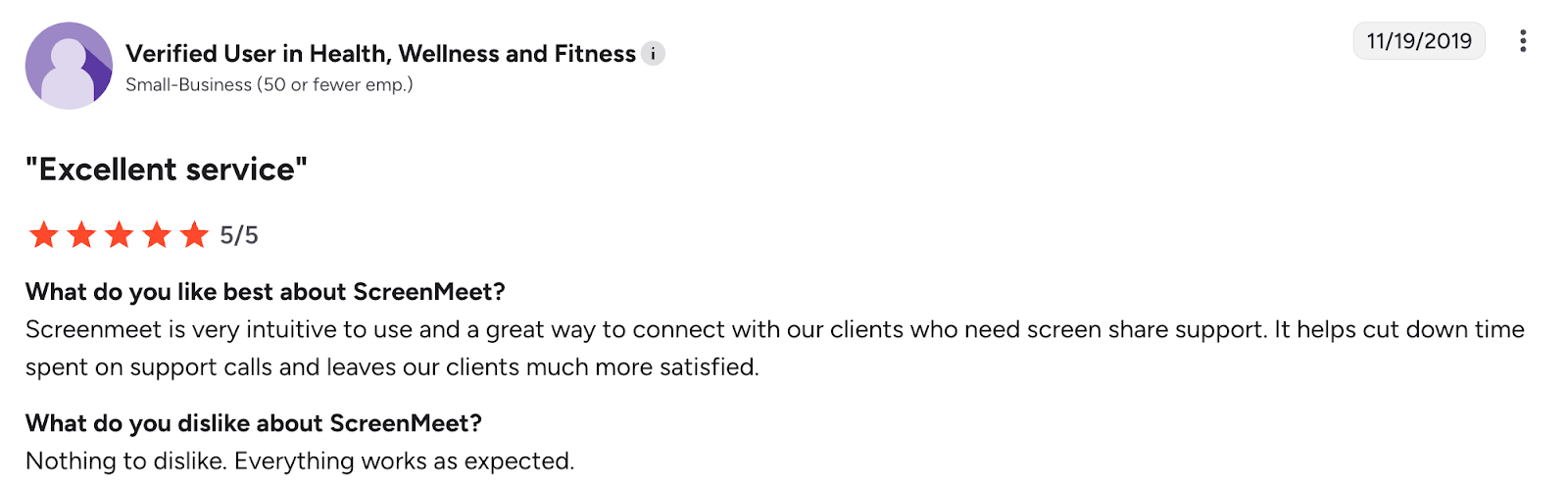
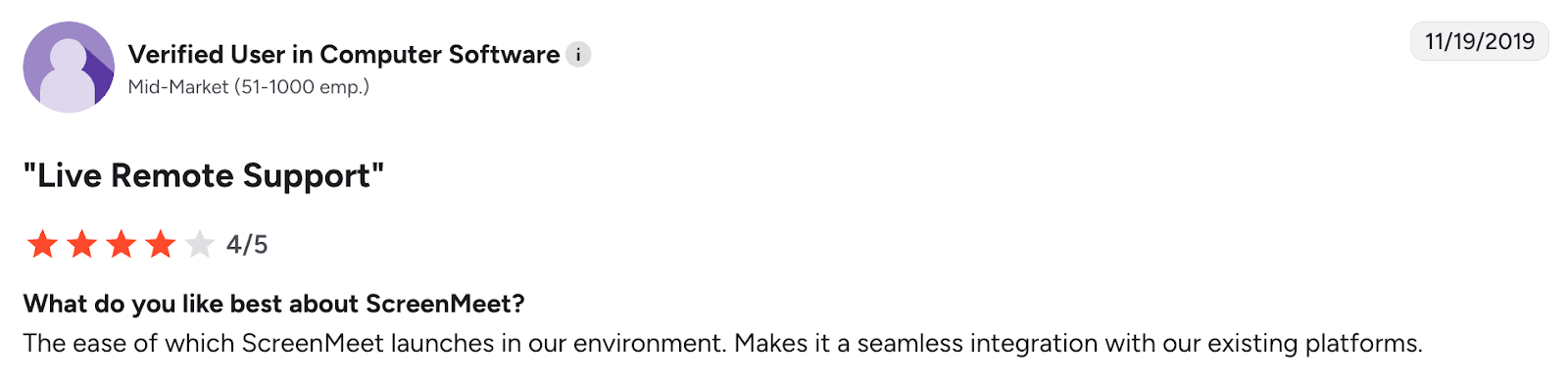
This makes ScreenMeet the best LogMeIn alternative for enterprise IT teams that need secure, browser-based support without persistent access.
BeyondTrust Remote Support (formerly Bomgar) is often positioned as the most “secure” LogMeIn alternative, particularly in highly regulated environments. Its reputation is built around privileged access controls, deep auditing, and tight governance. In organizations where every remote session must be treated as a privileged event, this model can make sense.
However, that same security-first design introduces significant operational tradeoffs for most enterprise IT teams.
Bomgar’s architecture is heavy by design, with roots in on-prem and tightly controlled environments. Deployments typically require extensive upfront configuration, involvement from security teams, and alignment with PAM and identity systems. While this delivers strong oversight, it also results in slower session initiation, longer rollout timelines, and higher ongoing operational overhead especially when compared to browser-based, session-only remote support tools.
Cost is another friction point. BeyondTrust’s pricing model is commonly cited as a challenge, particularly for standard help desk use cases. Enterprises often face per-seat licensing, plus additional costs for ITSM or CRM integrations, which are not native to the platform. For smaller or mid-sized teams, this has increasingly meant pressure to move toward SaaS pricing models that may not align with their original deployment intent.
Pros
Caveats
For many enterprises, Bomgar ultimately solves for governance but does so at the expense of agility, cost efficiency, and modern IT workflows.
Many users note that the product can feel heavy and complex, especially for teams that don’t require strict compliance enforcement on every remote session.
TeamViewer Tensor is the enterprise-grade evolution of TeamViewer, built to support large organizations with distributed device fleets. It is frequently shortlisted as a LogMeIn alternative due to its global reliability, cross-platform support, and familiarity among IT teams.
That said, Tensor retains the core architectural assumptions of traditional remote access tools — assumptions that are increasingly at odds with modern enterprise IT and security expectations.
At its foundation, TeamViewer Tensor relies on installed agents and persistent device relationships. While this model works well for fully managed corporate endpoints, it introduces friction in environments that include contractors, external users, or locked-down devices. Persistent access models also tend to draw closer scrutiny from security teams, particularly in organizations moving toward zero-trust principles and session-based access controls.
Pricing is another common point of concern. While TeamViewer Tensor scales technically, costs often scale just as quickly. Licensing complexity increases as device counts, regions, and feature requirements grow, making long-term cost predictability difficult for large enterprises.
From a security perspective, TeamViewer has invested heavily in strengthening its enterprise controls following years of scrutiny. Tensor includes SSO, conditional access, and centralized policy management. However, the platform continues to carry the weight of a long history of publicly disclosed vulnerabilities, which has led many security-conscious buyers to question whether hardening efforts fully offset the risks of persistent agent-based access.
Integrations are another area where enterprise IT teams often feel friction. While TeamViewer offers integrations with ITSM and CRM platforms, these are typically delivered via connectors rather than native, embedded workflows. As a result, session context, documentation, and resolution data frequently live outside the core ITSM system, increasing manual effort and reducing operational clarity.
Pros
Caveats
For many enterprises, TeamViewer Tensor represents a familiar and reliable option — but one that reflects an earlier generation of remote access design rather than a clean break from LogMeIn-style architectures.
Enterprise users frequently cite TeamViewer’s reliability and reach as major strengths. Criticism tends to focus on cost escalation over time and the administrative burden of managing persistent agents across large environments.
ConnectWise ScreenConnect is a powerful remote support tool originally built for managed service providers. It offers extensive control over remote sessions and supports both cloud and on-prem deployments, making it flexible for service providers managing multiple client environments.
Compared to LogMeIn, ScreenConnect provides deeper technician-level control but assumes a technician-centric workflow. This makes it less intuitive for internal enterprise IT teams that prioritize speed, consistency, and user experience over fine-grained session control.
While ScreenConnect can be used in enterprise environments, it often feels more complex than necessary for standard help desk scenarios.
Reviews highlight ScreenConnect’s flexibility and depth, especially for MSPs. Enterprise users often mention complexity and a UI that feels designed for technicians rather than end users.
Splashtop Enterprise is frequently shortlisted by teams moving away from LogMeIn primarily due to pricing pressure. It offers fast, reliable remote sessions and supports both attended and unattended access, making it a practical option for IT teams that manage known endpoints.
Architecturally, Splashtop follows a more traditional remote access model. It relies on installed agents for unattended access and optional browser-based workflows for attended sessions. This works well in managed environments but introduces friction in scenarios where endpoints are locked down or externally owned.
Where Splashtop stands out is performance. Many teams report smooth sessions even over lower bandwidth connections, which makes it appealing for geographically distributed teams. However, Splashtop places less emphasis on deep governance, audit workflows, and ITSM-native operations.
Public reviews often praise Splashtop’s performance and value for money. Enterprise users, however, frequently note gaps in reporting, auditing, and workflow integration when compared to more ITSM-focused tools.
Zoho Assist is a cloud-based remote support tool that emphasizes ease of use and flexibility. It supports both browser-based sessions and optional agent installation, making it easier to start support sessions quickly without extensive setup.
Compared to LogMeIn, Zoho Assist reduces initial friction and is simpler to deploy across teams. It integrates with several service desk platforms and fits well into lighter IT environments where speed and convenience matter more than deep governance.
However, Zoho Assist was not designed specifically for large enterprise IT organizations. While it includes security controls, its access model and reporting capabilities may fall short in environments where compliance, auditing, and strict access governance are non-negotiable.
Users frequently highlight Zoho Assist’s simplicity and quick onboarding. Larger IT teams often mention that while it works well initially, it can feel limited as security and compliance requirements increase.
NinjaOne approaches remote support from a different angle than LogMeIn. Rather than leading with remote access, it embeds support capabilities within a broader remote monitoring and management (RMM) platform.
This makes NinjaOne a strong option for IT teams that manage a defined set of corporate-owned devices. Remote access is tightly integrated into device monitoring, patching, and automation workflows, which can significantly improve operational efficiency.
However, NinjaOne is less effective when support needs are ad-hoc or user-initiated. Its architecture assumes known endpoints with agents installed, which limits flexibility for supporting contractors, external users, or locked-down devices.
Public sentiment around NinjaOne is highly positive for device management and automation. Reviews commonly note that while remote access works well for managed endpoints, it lacks the flexibility of tools built specifically for interactive IT support.
Atera combines remote monitoring, professional services automation (PSA), and remote access into a single platform. Unlike LogMeIn, which focuses narrowly on remote access and support, Atera positions itself as a general IT operations platform.
This makes Atera appealing to smaller IT teams that want simplicity and cost predictability. Remote support is bundled rather than specialized, which works well for basic help desk scenarios but introduces limitations in enterprise environments.
From an architectural standpoint, Atera assumes agent-based, persistent endpoint management. This aligns well with MSP workflows but can be restrictive when supporting ad-hoc users, external contractors, or environments where installing agents is tightly controlled.
Public reviews frequently highlight Atera’s simplicity and value. Enterprise users, however, often note that its remote support capabilities lack the control, security depth, and flexibility required at scale.
AnyDesk is known for one thing above all else: speed. Its lightweight client and proprietary codec deliver low-latency remote sessions, even over less reliable networks. This makes it popular in scenarios where responsiveness matters more than workflow integration.
Unlike LogMeIn or enterprise-focused tools, AnyDesk is primarily a remote desktop application, not a full IT support platform. It excels at connecting to devices quickly but offers limited tooling around governance, auditing, and ITSM integration.
For enterprises, AnyDesk is often used tactically rather than strategically — as a point solution for specific teams rather than a company-wide LogMeIn replacement.
Users consistently praise AnyDesk’s speed and reliability. Enterprise reviewers frequently point out that it lacks the controls, reporting, and workflow integration needed for standardized IT support.
GoTo Resolve is part of the same product family as LogMeIn and is often considered by teams looking to modernize without switching vendors entirely. It combines remote support with endpoint management and ticketing features into a single platform.
While GoTo Resolve offers a broader toolset than traditional LogMeIn products, it still inherits many of the same architectural assumptions, including installed agents and persistent access models. As a result, it often feels like an incremental evolution rather than a clean break.
For teams already deeply invested in LogMeIn workflows, GoTo Resolve can reduce switching friction. However, it rarely addresses the core reasons organizations look for LogMeIn alternatives in the first place.
Reviews commonly describe GoTo Resolve as familiar and functional but note that it doesn’t fundamentally improve the remote support experience compared to legacy LogMeIn products.
DameWare is one of the older remote administration tools still used in enterprise environments, particularly those that remain heavily invested in on-prem Windows infrastructure. It is most often considered by teams looking for a LogMeIn alternative that feels familiar and works well inside legacy networks.
Unlike most modern remote support platforms, DameWare was not built with cloud-first or browser-based workflows in mind. Its architecture assumes persistent access to known devices, typically within the same network or domain. This makes it effective for internal IT teams managing Windows machines, but far less flexible for today’s hybrid and remote environments.
DameWare is tightly integrated with Active Directory and offers a range of system-level tools that appeal to traditional administrators. However, its UI and operational model have changed little over time, which becomes apparent when compared to newer LogMeIn alternatives focused on usability, security-by-design, and ITSM integration.
Public reviews often describe DameWare as reliable but dated. Users appreciate its deep Windows integration, while also noting that it lacks the flexibility, ease of use, and modern security patterns expected from newer LogMeIn alternatives.
Finding the right LogMeIn alternative comes down to choosing a solution that works the way enterprise IT teams actually operate. While many remote access tools focus on connectivity alone, ScreenMeet is built for modern enterprise IT support where security, speed, and workflow integration matter equally.
Here’s why ScreenMeet is the best LogMeIn alternative for enterprise IT teams:
For organizations actively evaluating LogMeIn alternatives, the platform offers a practical, enterprise-ready replacement that improves support efficiency without adding operational complexity.
The best LogMeIn alternatives in 2025 include ScreenMeet, BeyondTrust, TeamViewer Tensor, Splashtop Enterprise, and ScreenConnect, depending on security, deployment, and ITSM requirements.
What is the best LogMeIn alternative for enterprise IT teams?
ScreenMeet is the best LogMeIn alternative for enterprise IT teams because it provides browser-based, session-only remote support with no end-user downloads and native ServiceNow integration.
Why are companies moving away from LogMeIn?
Companies are moving away from LogMeIn due to high licensing costs, agent-based installations, security concerns around persistent access, and poor alignment with zero-trust security models.
Is there a LogMeIn alternative that doesn’t require installing software?
Yes. ScreenMeet allows IT teams to start remote support sessions directly in the browser without requiring users to install software or grant long-term access.
Which LogMeIn alternative is most secure for enterprises?
ScreenMeet and BeyondTrust are among the most secure LogMeIn alternatives for enterprises, with ScreenMeet using session-based access and BeyondTrust focusing on privileged access control and auditing.
Ready to Replace Your Legacy Solutions?
Start Your Journey Here

Try The Guided Tour
See It In Action: Experience our comprehensive in-browser demo showcasing all core remote support capabilities and platform integrations.

Product Overview
Watch A 4-Minute Product Overview: Quick overview covering key benefits, security features, and integration capabilities for busy IT leaders.
Talk To A Specialist
Ready To Get Started? Speak with our platform experts about your specific ServiceNow, Salesforce, or Tanium integration requirements.
Book A Demo


© 2025 ScreenMeet | Privacy Policy | Terms and Conditions | Data Privacy Framework Policy